Elements
An Element is one visual. Each layer in a scene is one Element, and each Element has its own knobs. This page lists all 41, with every knob's range, starting value and what it does. Free Nebula includes a set of ready-made scenes; Nebula Pro unlocks every Element and the Layers editor to use them.
- Pin Field
- Fireflies
- Tesla Arcs
- Plasma Globe
- Bokeh Drift
- Fireworks
- Starscape
- Stellar Nursery
- Nebula
- Aurora
- Rain Pond
- Ink
- Neon Jellyfish
- Living Painting
- Melody Thread
- Note Nursery
- Attention
- Equalizer
- Lissajous Scope
- Crystal Cells
- Recall Lattice
- Hunch
- Counterfactual
- Second Guess
- Logit Garden
- Solid
- Gradient
- Shape
- Vignette
- Sand Plate
- Pendulum Wave
- Sync Lanterns
- Iron Filings
- Sequin Tide
- Attractor Cloud
- Ring System
- Sunflower
- Particle Life
- Slime Veins
- Murmuration
- Ember Sieve
Reading the tables
- Knob: the name in the app, and below it the key used in scene files.
- Cable: yes means Patches can move this knob with the music. Knobs that choose from a list can't be moved by a cable.
- Elements already react to the music on their own; each knob's text says how.
- Where an effect starts (the Origin knobs), the app lets you pick places by hand. Those picks aren't listed here.
Pin Fieldpin-field
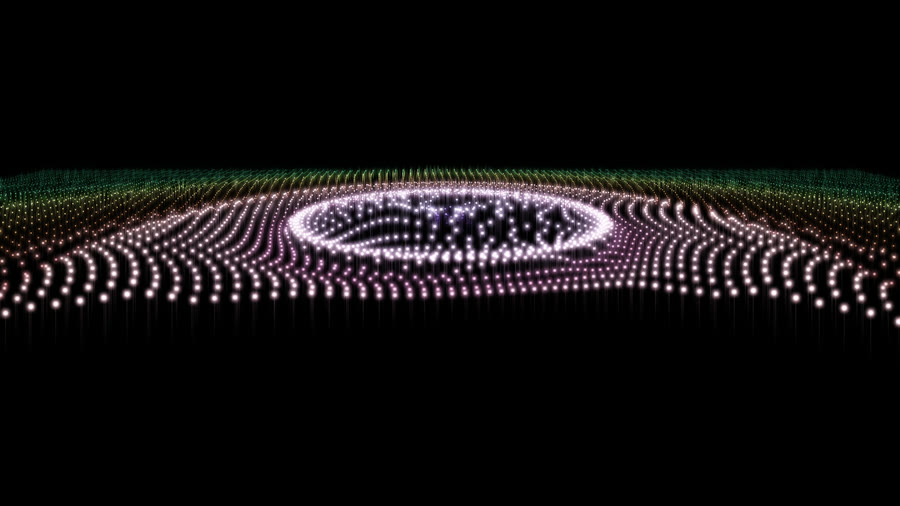
A field of glowing LED pins in perspective: the spectrum lights rings of pins round the source, beats send ripples outward and a dark vortex swirls at the center.
Knobs (17)
| Knob | Range or choices | Starts at | Cable | What it does |
|---|---|---|---|---|
Number of pinspins | 2,016, 4,536, 8,064, 12,600, 18,144 | 8,064 | no | Choose fewer, chunkier pins or more, finer pins; tip size follows the grid spacing. |
Originsource | pick position, fixed, center, bottom, top, left, right, jump, scatter, drift, melody | center | no | Where the effect starts: a fixed place, a moving one, or places you pick yourself in the app. |
Pin heightheight | 0 to 2 | 1 | yes | How tall the lit pins rise. |
Center fallofffalloff | 0 to 1 | 0 | yes | Pins stay full height at the source and get shorter toward the edges. 0 keeps every pin the same; 1 shrinks the outermost pins to a stub. |
Dot sizedot | 0.3 to 3 | 1 | yes | How big the glowing tip of each pin is. |
Ring spacingrings | 0.3 to 2 | 1 | yes | How far out the spectrum's rings reach: small keeps the bass and treble close together, large spreads them across the field. |
Beat ripplesripples | 0 to 1 | 0.7 | yes | How strong the rings of light are that travel outward on each beat. |
Ripple speedrippleSpeed | 0.2 to 3 | 1 | yes | How fast the beat ripples travel outward. |
Whirlpool sizehole | 0 to 1.5 | 0.45 | yes | The size of the dark hole at the source. |
Whirlpool swirlswirl | -1 to 1 | 0.35 | yes | How fast the pins near the hole swirl round it. Negative turns the other way. |
ColorcolourMode | amber, cyan, red, shared palette, custom | amber | no | Amber LEDs, other LED colors, the shared palette, or your own color. |
Custom colorcolour | a color | #ff9a2e | yes | With Color set to custom: the pins' color. |
Patternpattern | one color, a color per ring, near to far, stem to tip | one color | no | One color for every pin, a color per ring of the spectrum, a fade from near to far, or stems that fade into a different tip color. |
Ring colorsspread | 0.05 to 1 | 0.7 | yes | How far round the color wheel the rings go, from neighboring shades to every color. |
Second colorcolour2 | a color | #3d7bff | yes | Near to far: the farthest pins' color. Stem to tip: the tips' color. |
Glowglow | 0 to 1 | 0.6 | yes | The soft haze around lit pins. |
Brightnessbrightness | 0.2 to 2 | 1 | yes | Overall brightness. |
Firefliesfireflies
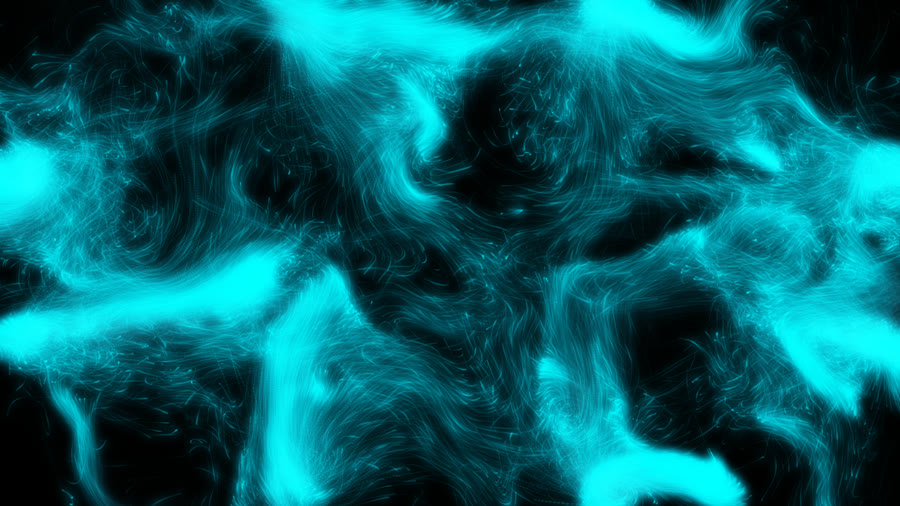
A swarm of glowing sparks born at the emitters, drifting on a turning current: bass stirs eddies, hits burst new sparks, treble twinkles.
Knobs (20)
| Knob | Range or choices | Starts at | Cable | What it does |
|---|---|---|---|---|
Originsource | pick position, fixed, center, bottom, top, left, right, bottom corners, all edges, ring, jump, scatter, drift, melody | bottom | no | Where the effect starts: a fixed place, a moving one, or places you pick yourself in the app. |
Sourcesemitters | 1 to 8 | 4 | yes | How many points give birth to sparks. Changes in whole steps. |
Birth spreadspread | 0 to 0.3 | 0.05 | yes | How far from each emitter a spark can be born. 0 = exactly at the point. |
Sparkscount | 2048 to 32768 | 16384 | yes | How many sparks are alive at once. |
Lifetimelife | 1 to 20 | 7 | yes | How long each spark lives before it is born again at an emitter. |
Currentflow | 0 to 2 | 1 | yes | How strongly the slow, turning current carries the sparks. |
Swirl sizescale | 0.5 to 8 | 2.5 | yes | How big the swirls in the current are. Low = wide sweeps, high = tight curls. |
Riserise | -1 to 1 | 0.35 | yes | A steady drift upwards (negative: downwards), like warm air. |
Bass stirringstir | 0 to 2 | 0.8 | yes | How much the bass churns the current into fast eddies. |
Hit burstsburst | 0 to 1 | 0.5 | yes | On drum hits and other sudden sounds, a share of the sparks is reborn at the emitters and flung outwards. 0 = no bursts. |
Twinkletwinkle | 0 to 1 | 0.6 | yes | How much each spark flickers; the treble makes it livelier. |
Spark sizesize | 0.5 to 8 | 2.6 | yes | How big each spark is, in pixels. |
Trailstrails | 0 to 1 | 0.55 | yes | How long the fading trail behind each spark is. 0 = no trail. |
ColorcolourMode | shared palette, chords, custom | shared palette | no | Where the colors come from: the shared palette all layers agree on, the song's harmony, or your two colors below. |
Color rangehueSpread | 0 to 1 | 0.25 | yes | How different the sparks' colors are from each other. |
Color intensitysaturation | 0 to 1 | 0.7 | yes | How vivid the colors are. |
First colorcolourA | a color | #ffd36b | yes | With Color set to custom: one end of the sparks' colors. |
Second colorcolourB | a color | #7bffb0 | yes | With Color set to custom: the other end. |
Glowglow | 0 to 1 | 0.55 | yes | The soft haze around the swarm. |
Brightnessbrightness | 0.2 to 2 | 1 | yes | Overall brightness. |
Tesla Arcstesla-arcs
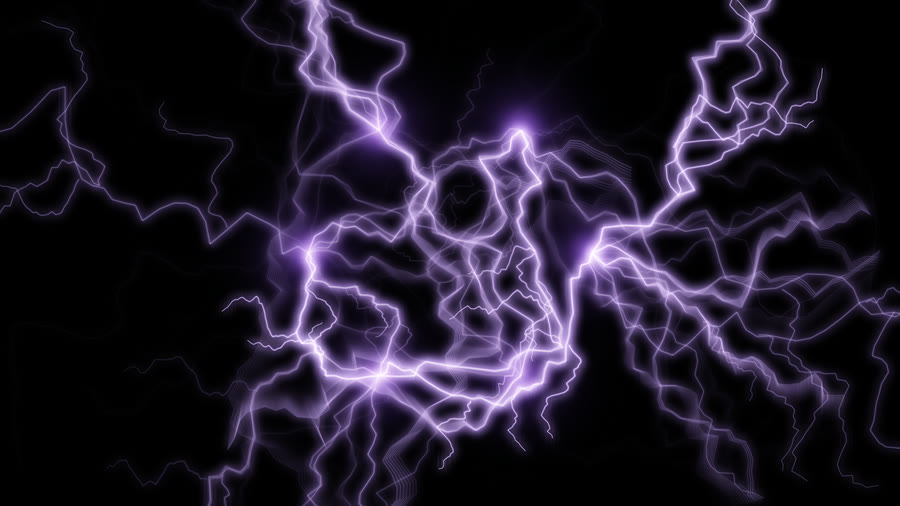
Branching lightning leaps from the emitters into the air and across to each other on every hit, crawling with the treble.
Knobs (17)
| Knob | Range or choices | Starts at | Cable | What it does |
|---|---|---|---|---|
Originsource | pick position, fixed, center, bottom, top, left, right, bottom corners, all edges, ring, jump, scatter, drift, melody | center | no | Where the effect starts: a fixed place, a moving one, or places you pick yourself in the app. |
Sourcesemitters | 1 to 8 | 1 | yes | How many points the lightning leaps from. Changes in whole steps. |
Strike pathstrike | both, outward, between sources | both | no | Where the bolts go: out into the air, across between the emitters, or a mix of both. |
Standing arcsstanding | 0 to 12 | 7 | yes | How many arcs are always alive, slowly wandering round like the filaments in a plasma ball. Louder music crackles them faster. Changes in whole steps. |
Hit strikeshits | 0 to 1 | 0.7 | yes | How readily a drum hit or other sudden sound fires new bolts. Harder hits fire more at once. |
Steady cracklerate | 0 to 1 | 0.25 | yes | Bolts that strike on their own, more often when the music is loud. 0 = only on hits. |
Reachreach | 0.1 to 1.2 | 0.42 | yes | How far the bolts reach out into the air. |
Jaggednessrough | 0 to 1 | 0.55 | yes | How zig-zag the bolts are. 0 = nearly straight lines. |
Branchesbranches | 0 to 4 | 2 | yes | How many forks split off each bolt. Changes in whole steps. |
Crawlcrawl | 0 to 1 | 0.5 | yes | How much the living bolts writhe; the treble makes them livelier. |
Thicknessthickness | 0.3 to 3 | 1.4 | yes | How thick the bolts are. |
ColorcolourMode | custom, shared palette, chords | custom | no | Where the color comes from: your color below, the shared palette, or the song's harmony. |
Custom colorcolour | a color | #7a9cff | yes | With Color set to custom: the glow around the white-hot bolts. |
Coil glownodes | 0 to 1 | 0.5 | yes | A glowing ball at each emitter that swells gently with the loudness. |
Afterglowafterglow | 0 to 1 | 0.4 | yes | How long a fading after-image of each bolt stays. |
Glowglow | 0 to 1 | 0.6 | yes | The soft haze around the bolts. |
Brightnessbrightness | 0.2 to 2 | 1 | yes | Overall brightness. |
Plasma Globeplasma-globe
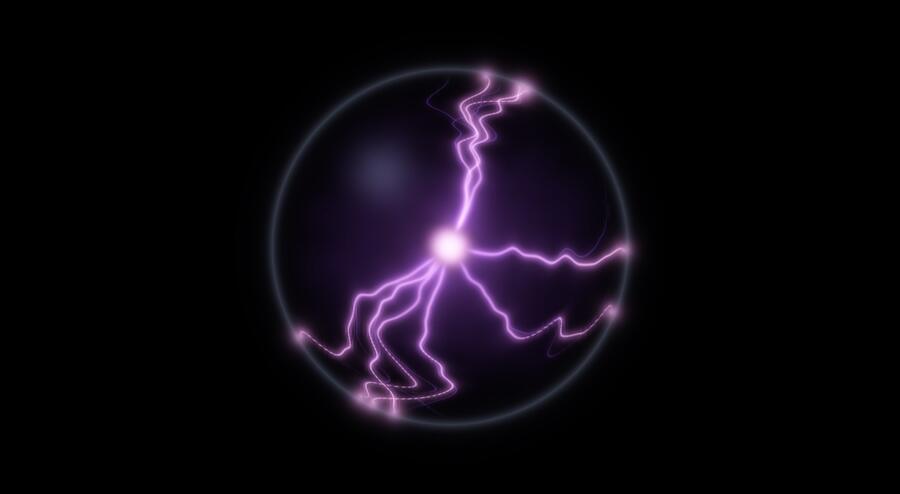
A glass plasma ball: branching arcs of light crawl from a glowing core to the glass, flare on hits and thicken with the loudness.
Knobs (15)
| Knob | Range or choices | Starts at | Cable | What it does |
|---|---|---|---|---|
Originsource | pick position, fixed, center, bottom, top, left, right, jump, scatter, drift, melody | center | no | Where the effect starts: a fixed place, a moving one, or places you pick yourself in the app. |
DepthoriginDepth | -0.75 to 3 | 0 | yes | Apparent distance: negative is closer, positive is farther away. Keeps the screen position fixed. Layers still overlap in stack order, without shared 3D occlusion. |
Globe sizesize | 0.15 to 1 | 0.72 | yes | How big the glass ball is, as a share of the screen height. |
Arcsarcs | 2 to 12 | 9 | yes | How many arcs of light are alive at once. Onsets light extra ones. Changes in whole steps. |
Thicknessthickness | 0 to 1 | 0.5 | yes | How thick the arcs are. They also thicken with the loudness. |
Crawl speedcrawl | 0 to 2 | 0.8 | yes | How fast the arcs wriggle. The treble speeds them up. |
Touch wanderwander | 0 to 1 | 0.5 | yes | How far the points where the arcs touch the glass roam around. |
Hit flareflare | 0 to 1 | 0.7 | yes | How brightly an arc flares on a sudden hit (drums, plucks). |
Branchesbranches | 0 to 1 | 0.6 | yes | How much each arc forks into a second strand near the glass. |
Core glowcore | 0 to 1.5 | 0.8 | yes | Brightness of the electrode in the middle. |
Glassglass | 0 to 1 | 0.6 | yes | How visible the glass ball's rim and reflection are. |
ColorcolourMode | classic violet, blue, green, fire, shared palette, custom | classic violet | no | Classic violet plasma, other gases, the shared palette, or your own color. |
Custom colorcolour | a color | #b44dff | yes | With Color set to custom: the color of the arcs. |
Glowglow | 0 to 1 | 0.55 | yes | The soft haze around the arcs. |
Brightnessbrightness | 0.2 to 2 | 1 | yes | Overall brightness. |
Bokeh Driftbokeh-drift
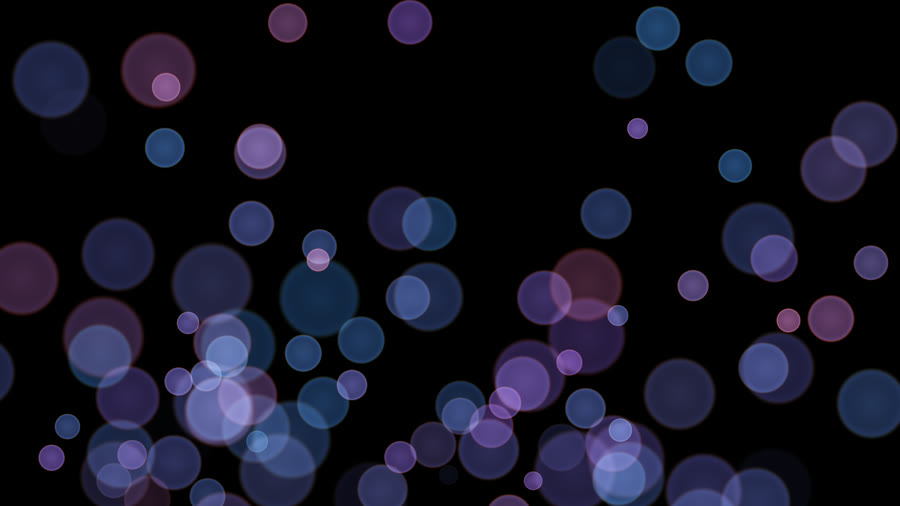
Soft, out-of-focus discs of light drift out of the source like defocused city lights: more light up as the music gets louder, and they twinkle with the treble.
Knobs (15)
| Knob | Range or choices | Starts at | Cable | What it does |
|---|---|---|---|---|
Originsource | pick position, fixed, center, bottom, top, left, right, bottom corners, all edges, ring, jump, scatter, drift, melody | bottom | no | Where the effect starts: a fixed place, a moving one, or places you pick yourself in the app. |
Sourcesemitters | 1 to 8 | 3 | yes | How many places the lights come from. Changes in whole steps. |
Countcount | 10 to 220 | 120 | yes | How many discs there can be. The loudness decides how many of them are lit. |
Sizesize | 0.2 to 2.5 | 1 | yes | How big the discs are. |
Drift speedspeed | 0 to 2 | 0.8 | yes | How fast the lights drift away from the source. The bass gives them a nudge. |
Spreadspread | 0 to 1 | 0.6 | yes | How widely the lights fan out as they drift. |
Depth blurfocus | 0 to 1 | 0.6 | yes | How different near and far lights look: higher makes near discs bigger and softer, far ones small and crisp. |
Shapeaperture | round, hexagon | round | no | The shape of each disc: round, or the hexagon of a six-bladed lens. |
Bright rimrim | 0 to 1 | 0.5 | yes | How much brighter the edge of each disc is than its middle, as with real lenses. |
Color fringefringe | 0 to 1 | 0.5 | yes | A faint rainbow edge on each disc. |
Twinkletwinkle | 0 to 1 | 0.5 | yes | How much the lights shimmer with the treble. |
ColorcolourMode | shared palette, warm lights, cool blue, custom | shared palette | no | Shared palette all layers agree on, warm city lights, cool blues, or your own color. |
Color rangehueSpread | 0 to 0.6 | 0.2 | yes | How different the lights' colors are from each other. |
Custom colorcolour | a color | #ffb46b | yes | With Color set to custom: the lights' main color. |
Brightnessbrightness | 0.2 to 2 | 1 | yes | Overall brightness. |
Fireworksfireworks
Shells launch on the beat and burst into colored sparks with gravity and fading trails; harder hits make bigger bursts.
Knobs (15)
| Knob | Range or choices | Starts at | Cable | What it does |
|---|---|---|---|---|
Originsource | pick position, fixed, center, bottom, top, left, right, bottom corners, all edges, ring, jump, scatter, drift, melody | bottom | no | Where the effect starts: a fixed place, a moving one, or places you pick yourself in the app. |
Sourcesemitters | 1 to 8 | 3 | yes | How many launch points there are. Shells take turns between them. Changes in whole steps. |
Beat launchesrate | 0 to 1 | 0.5 | yes | The chance of a shell going up on each beat. 1 = every beat. |
Hit launcheshits | 0 to 1 | 0.6 | yes | How readily a strong drum hit or other sudden sound fires an extra shell. 0 = only on the beat. |
Launch heightheight | 0.2 to 1.5 | 0.85 | yes | How far the shells fly before they burst. |
Stylestyle | mixed, sphere, ring, willow, split sparks | mixed | no | The burst shape: mixed combines all shapes; sphere makes a full ball of sparks; ring makes a circle; willow makes long, drooping gold trails; split sparks makes sparks that split again. |
Burst sizesize | 0.2 to 2 | 1 | yes | How wide and full the bursts are. Louder hits make them bigger still. |
Gravitygravity | 0 to 2 | 1 | yes | How fast the sparks fall. |
Spark sizesparkSize | 1 to 8 | 3 | yes | How big each spark is, in pixels. |
Trailstrails | 0 to 1 | 0.6 | yes | How long the fading trail behind each spark is. |
ColorcolourMode | shared palette, chords, rainbow, custom | shared palette | no | Where the colors come from: the shared palette, the song's harmony, a full rainbow, or your color below. |
Color rangehueSpread | 0 to 0.5 | 0.2 | yes | How far each burst's color may stray from the base color. |
Custom colorcolour | a color | #ff5a3c | yes | With Color set to custom: the bursts' color. |
Glowglow | 0 to 1 | 0.55 | yes | The soft haze around the sparks. |
Brightnessbrightness | 0.2 to 2 | 1 | yes | Overall brightness. |
Starscapestarscape
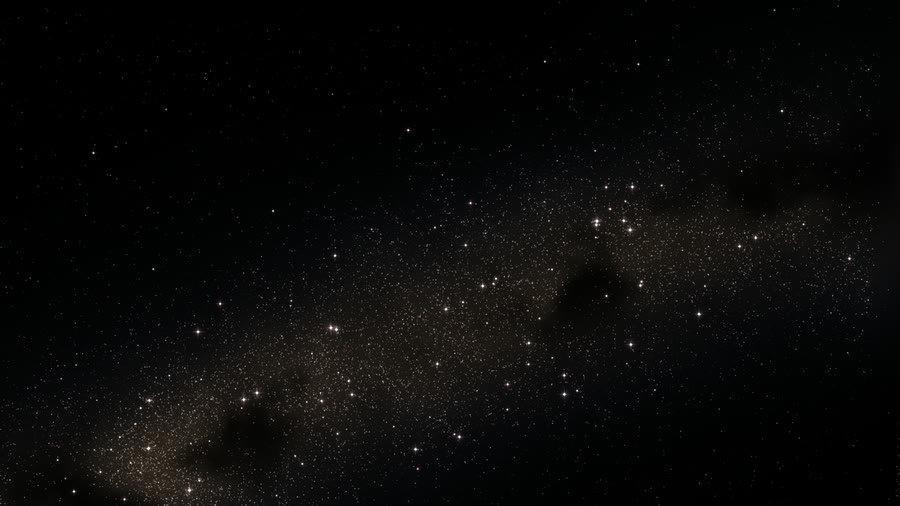
An astrophotography night sky whose stars gather on the colorful parts of the layers below.
Knobs (12)
| Knob | Range or choices | Starts at | Cable | What it does |
|---|---|---|---|---|
Starscount | 5000 to 60000 | 30000 | yes | How many stars are drawn, in steps of 1,000. More = a denser sky, at a small cost in speed. |
Bright starsbright | 0 to 1 | 0.45 | yes | What share of the stars are big, glowing stars instead of faint pinpoints. Higher = more bright stars. |
Glow sizeglow | 0.3 to 3 | 1 | yes | How big the halo around the bright stars is. Higher = larger, softer glows. |
Palettepalette | natural, cool, warm, shared palette | natural | no | Star colors. Natural runs from orange to blue-white like real stars; cool and warm lean one way; shared hue uses the app's slowly turning color so it matches other layers. |
Gather belowfollow | 0 to 1 | 0.85 | yes | When there are layers underneath, how much the stars bunch up on their bright, colorful parts. 0 = stars spread evenly; 1 = stars cluster tightly on what's below. |
Tint from belowtint | 0 to 1 | 0.55 | yes | When there are layers underneath, how much the stars take on the colors below them. 0 = stars keep their own colors. |
Milky Waymilkyway | on or off | on | yes | When nothing is drawn underneath, show a band of the Milky Way with its soft glow. Off = an even field of stars. |
Twinkletwinkle | 0 to 1 | 0.5 | yes | How much the stars twinkle with the treble (hi-hats, cymbals, bright sounds). 0 = steady stars. |
Bass swellswell | 0 to 1 | 0.5 | yes | How much the bright stars grow with the bass and the song's loudness. 0 = they stay the same size. |
Shooting starsmeteors | 0 to 1 | 0.4 | yes | How often sharp hits in the music launch a shooting star. 0 = none; at most about one every 1.2 seconds. |
OriginmeteorSource | pick position, fixed, center, bottom, top, left, right, bottom corners, all edges, jump, scatter, drift, melody | scatter | no | Where the effect starts: a fixed place, a moving one, or places you pick yourself in the app. |
Drift speeddrift | 0 to 1 | 0.25 | yes | How fast the sky slowly turns and slides. 0 = still. A change of song also pans to a new patch of sky. |
Stellar Nurserystellar-nursery
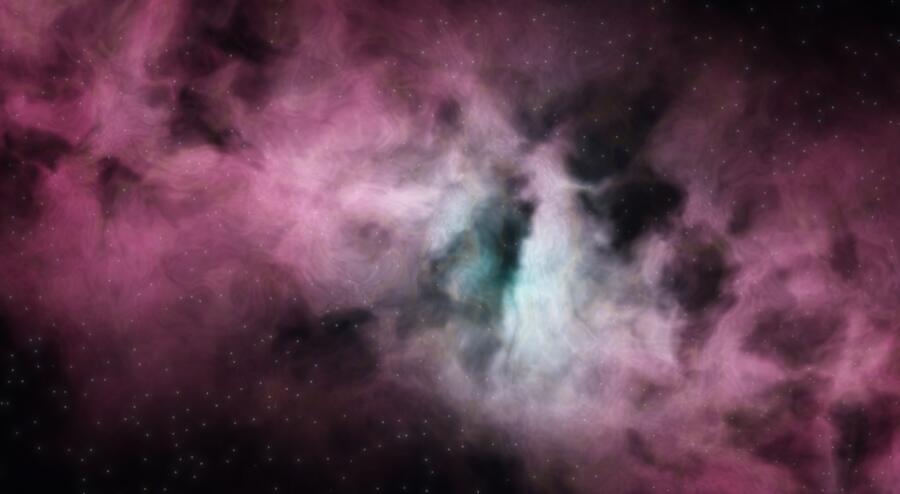
Luminous interstellar gas, sculpted dust and newborn stars; a slow voyage through a stellar nursery.
Knobs (14)
| Knob | Range or choices | Starts at | Cable | What it does |
|---|---|---|---|---|
Gas densitydensity | 0 to 2 | 1.15 | yes | How thick and bright the glowing gas cloud is. 0 empties the sky to stars; higher = denser, brighter gas. |
Gas stirringwarp | 0 to 1.5 | 0.65 | yes | How much the gas swirls and folds. Higher = more twisted clouds; the mid frequencies (voices, guitars) stir it further. |
Fine detaildetail | 0 to 1 | 0.75 | yes | Fine grainy texture in the gas. 0 = smooth clouds; 1 = lots of small wisps. |
Dust lanesdust | 0 to 1.5 | 0.85 | yes | Dark dust lanes that block the glow, like the shadows in a nebula photo. 0 = no dust; higher = deeper, darker lanes. |
Core glowcore | 0 to 1.5 | 0.8 | yes | The glow of the bright center of the cloud. The bass makes it swell and brighten. |
Starsstars | 0 to 1 | 0.6 | yes | How many stars are shown, from none to a full field. |
Palettepalette | Hubble, Webb, Orion, custom | Hubble | no | The cloud's three glow colors: Hubble uses pink, teal and gold; Webb uses copper, blue and cream, inspired by the James Webb Space Telescope; Orion uses pink, blue and peach; custom uses your three colors below. Changes blend in over about a second. |
Outer gas colorhydrogen | a color | #ed427a | yes | Used only when the palette is custom: the main color of the outer gas. This represents the hydrogen glow. |
Inner gas coloroxygen | a color | #35c9c5 | yes | Used only when the palette is custom: the color of the hollow inner gas near the bright center. This represents the oxygen glow. |
Edge colorsulfur | a color | #f5b45c | yes | Used only when the palette is custom: the color of the thin lit edges and filaments. This represents the sulfur glow. |
Camera driftdrift | 0 to 1 | 0.35 | yes | How fast the camera drifts through the cloud. 0 holds it still. |
Shimmershimmer | 0 to 1 | 0.4 | yes | Fine flickering highlights along the thin wisps when the treble (cymbals, hi-hats) is loud. 0 = none. |
Originsource | pick position, fixed, center, bottom, top, left, right, jump, scatter, drift, melody | drift | no | Where the effect starts: a fixed place, a moving one, or places you pick yourself in the app. |
Beat ripplesripples | 0 to 1 | 0.5 | yes | Faint rings that spread out from near the bright center on the beat (at most one every 0.65 s). 0 = none. |
Nebulanebula
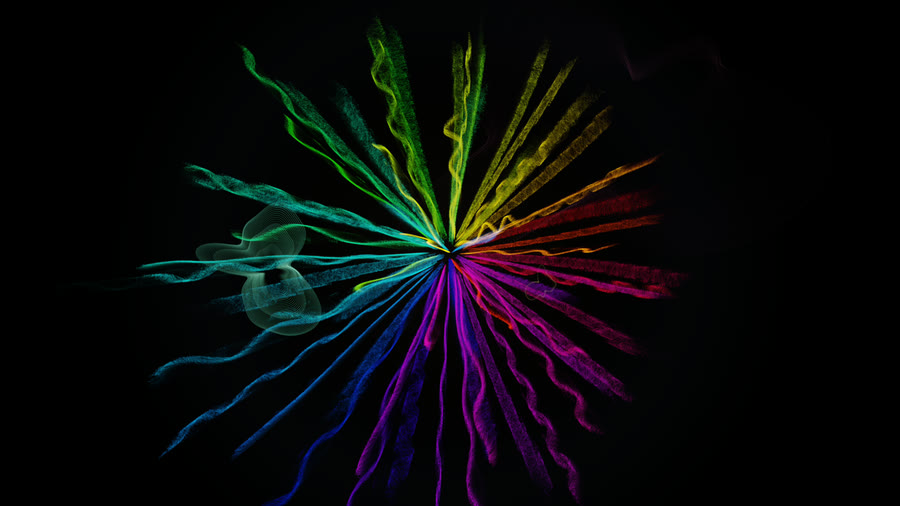
64 filaments, one per frequency band, plus amoeba ripples on the beat.
Knobs (16)
| Knob | Range or choices | Starts at | Cable | What it does |
|---|---|---|---|---|
Color spinspin | -4 to 4 | 1 | yes | How fast the filament colors rotate round the color wheel, in full turns every 8 bars of the song. Negative turns the other way; 0 holds the colors still. |
Reachreach | 0 to 2 | 1 | yes | How far each filament swings out when its frequency band is louder than usual, and in when it is quieter. 0 keeps the cloud still; higher makes it breathe more with the music. |
Squiggle sizesquiggle | 0 to 2.5 | 1 | yes | How wavy each filament gets as its band gets louder. Bass filaments make slow waves, treble filaments fine ones. 0 = smooth rings. |
Trail lengthtrail | 0 to 1 | 0.55 | yes | How long the light lingers behind moving filaments. Higher leaves longer, softer streaks; 0 draws only the current shape. |
Glowhalo | 0 to 2 | 1 | yes | The soft outer glow, which brightens with the treble (cymbals, hi-hats). 0 turns it off; 2 makes it strong. Changes fade in over about 1.5 s. |
Quiet tintsepia | 0 to 1 | 0.3 | yes | Fades the picture towards a warm old-radio brown in quiet passages, and back to full color when the song gets loud. 0 = never. |
Threadsfilaments | on or off | on | yes | Shows or hides the 64 filaments (one per frequency band). Turn off to see only the ripples and other layers. |
Crystal patterncrystal | off, pattern 3, pattern 5, pattern 7 | off | no | Adds a slowly turning grid of colored dots. Pattern 3, pattern 5 and pattern 7 use number rules in base 3, 5 and 7, each giving a different pattern. It shrinks while the song builds and flashes on note bursts. |
Pulsepulse | off, every beat, every 2 beats, every bar, every 2 bars | every beat | no | Holds the filaments' shape, then jumps to the music's new shape (in under a tenth of a second) every beat, every 2 beats, every bar or every 2 bars. Off follows the music continuously. |
Note burstsburst | 0 to 1.5 | 1 | yes | How hard sudden notes and hits kick the filaments near the pitch that jumped. 0 = no kicks; higher = bigger flashes and pushes. |
Inhaleinhale | 0 to 1.5 | 1 | yes | While the song builds up, the cloud draws in, then releases when the drop arrives. 0 turns this off; higher makes the inhale deeper. |
Orbit speedorbit | -2 to 2 | 1 | yes | How fast the camera circles the cloud. Negative goes the other way; 0 holds the view still. |
Ripplesripples | puddle, to edges, off | puddle | no | Rings that drop on the beat, like rain in a puddle. Puddle rings stay near the middle and fade quickly; 'to edges' rings travel out to the screen edges and last longer. |
Ripple linerippleLine | thin, thick, very thick | thin | no | How thick the ripple rings are drawn. |
Dropsdrops | automatic, every beat, every 2 beats, every bar | automatic | no | How often a ripple drops: every beat, every 2 beats, every bar, or automatic. Automatic drops every beat when the song is loud and every 2 beats when it is quieter. |
Ripple brightnessrippleBright | 0 to 2 | 1 | yes | How bright the ripple rings are. 0 hides them; 2 is double. |
Auroraaurora
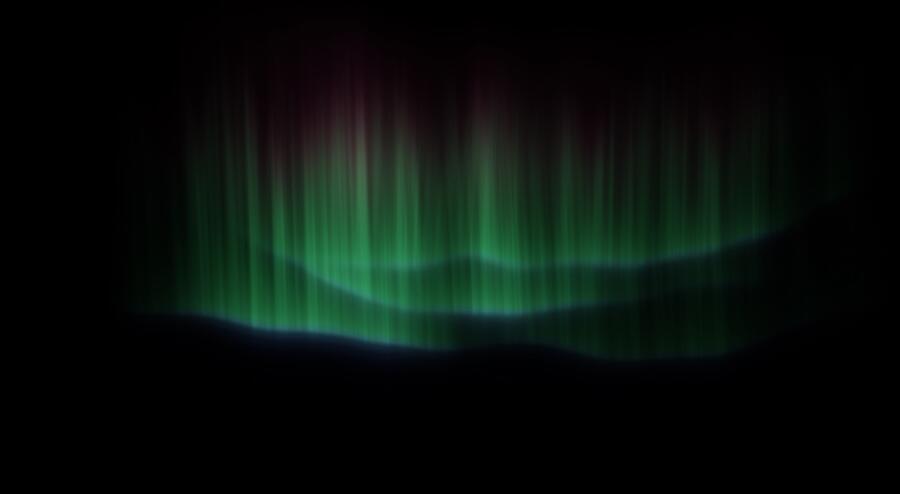
Northern lights: translucent curtains with fine rays folding in the wind; bass surges, mids ripple along the folds.
Knobs (13)
| Knob | Range or choices | Starts at | Cable | What it does |
|---|---|---|---|---|
Curtainscurtains | 1 to 5 | 3 | yes | How many curtains of light hang in the sky (1-5). Changes in whole steps; a new curtain fades in gently over about a second. |
Heightheight | 0.2 to 1 | 0.6 | yes | How tall the curtains reach up the sky. Higher = longer curtains. |
Foldsfold | 0 to 1 | 0.55 | yes | How much the curtains pleat, wave and ripple. 0 = flat, smooth sheets; higher = deep folds that glow brighter where they bend. |
Wind speedwind | 0 to 1 | 0.3 | yes | How fast the folds drift and the ripples travel along the curtains. Bass hits push them along a little faster. |
Ray detailrays | 0 to 1 | 0.75 | yes | How strongly the fine vertical rays show in the light. 0 = smooth glowing sheets; higher = sharp, streaky rays. |
Brightnessbrightness | 0 to 2 | 1 | yes | Overall brightness of the lights. Bass hits and choruses brighten them further on top of this. |
Chorus bloombloom | 0 to 1 | 0.6 | yes | How much the curtains grow wider, higher and brighter in choruses and build-ups. 0 = they stay the same all song. |
ColorcolourMode | natural, chords, shared palette, custom | natural | no | Natural uses green with a pink-red top and a blue lower edge, like real auroras. Chords follows the song's chords. Shared palette matches the colors of other layers. Custom uses the three colors below. |
Main colorgreen | a color | #38ff7a | yes | Only for 'custom' color mode. The main color of the curtains. |
Upper fringeupper | a color | #f2388c | yes | Only for 'custom' color mode. The color at the top of the curtains, where the light fades out. |
Lower edgelower | a color | #4d6bff | yes | Only for 'custom' color mode. The color along the bottom edge of the curtains. |
Horizonhorizon | on or off | off | yes | Show a dark landscape silhouette along the bottom. With the 'normal' blend it also hides the layers below it. |
Rotationrotation | 0 to 360 | 0 | yes | Turn the whole sky, curtains and horizon together, a full circle. 0 = curtains hang from the top as usual; 180 = upside down. The sky always fills the screen. |
Rain Pondrain-pond
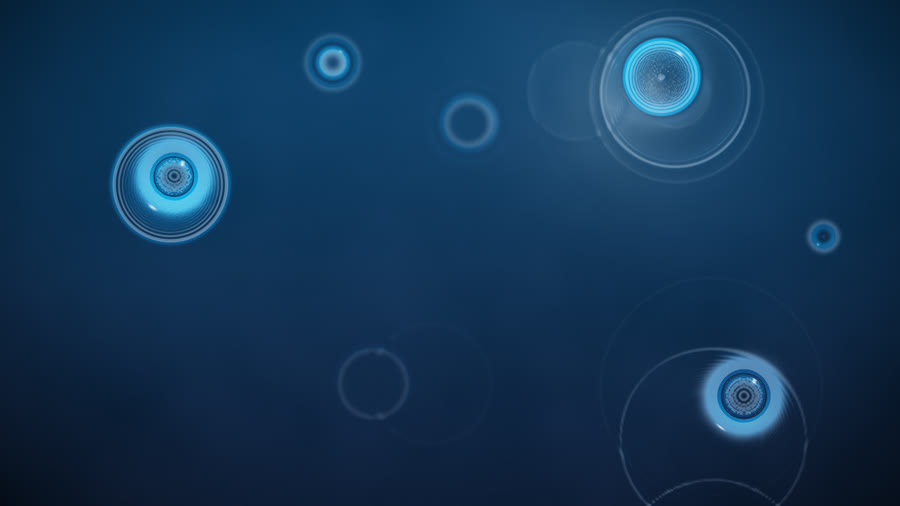
A dark pond at night: drops fall on the beats and hits, rain patters with the treble, ripples cross and reflect a colored sky and moon.
Knobs (13)
| Knob | Range or choices | Starts at | Cable | What it does |
|---|---|---|---|---|
Originsource | pick position, fixed, center, bottom, top, left, right, bottom corners, all edges, ring, jump, scatter, drift, melody | jump | no | Where the effect starts: a fixed place, a moving one, or places you pick yourself in the app. |
Drop pointspoints | 1 to 8 | 4 | yes | How many places the big drops fall at. Each beat drops at the next one in turn. Changes in whole steps. |
Drop sizedropSize | 0.2 to 2 | 1 | yes | How big the beat drops are. Louder hits still make bigger ones. |
Beat dropsonBeat | on or off | on | yes | Drop on every beat as well as on sudden hits. |
Rainrain | 0 to 1 | 0.45 | yes | A fine rain of small drops all over the pond; it gets heavier with the treble (cymbals, hi-hats). 0 = no rain. |
Ripple lifelife | 0 to 1 | 0.6 | yes | How long ripples keep spreading before the pond is still again. |
Ripple speedspeed | 0.3 to 2 | 1 | yes | How fast the ripples travel across the water. |
Ripple depthrelief | 0.2 to 3 | 1 | yes | How strongly the ripples bend the light: higher = deeper, shinier waves. |
Light ripplescaustics | 0 to 2 | 1 | yes | Bright lines of light the ripples focus onto the pebbles below. |
Sky reflectionreflection | 0 to 2 | 1 | yes | How much of the sky and moon the water reflects. |
SkycolourMode | night, sunset, shared palette, custom | night | no | The colors the pond reflects: a blue night with a pale moon, a sunset, the shared palette, or your own color. |
Sky colorskyColour | a color | #5a3cff | yes | With Sky set to custom: the color the water reflects. |
Brightnessbrightness | 0.2 to 2 | 1 | yes | Overall brightness. |
Inkink
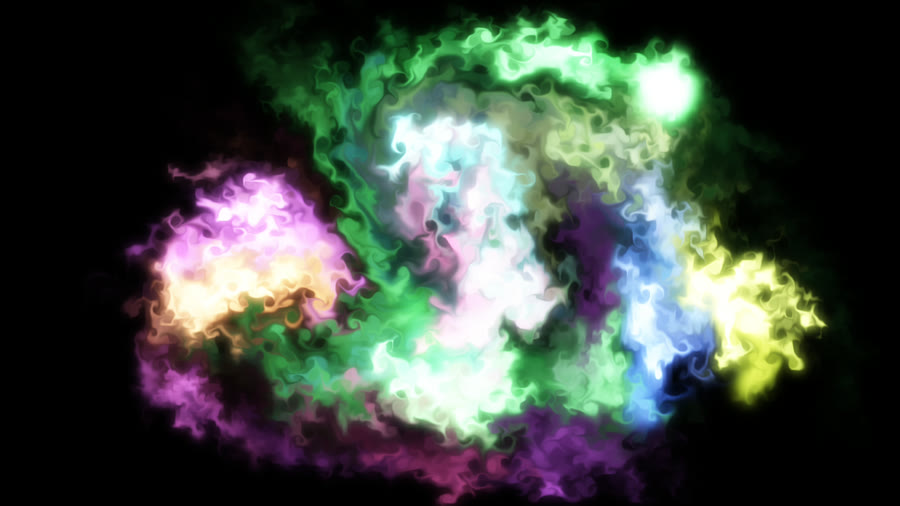
A GPU fluid simulation stirred by the music: bass pushes slow swirls up from below, mids curl vortices, treble draws fine filaments, beats drop luminous ink at drifting emitters.
Knobs (17)
| Knob | Range or choices | Starts at | Cable | What it does |
|---|---|---|---|---|
Materialappearance | glowing dye, ink in water | glowing dye | no | Glowing dye makes colored light swirl on black. Ink in water makes thick paint sink from the top and billow like ink dropped in a glass. |
Ink densitybody | 0.3 to 3 | 1.3 | yes | Only for 'ink in water'. How much paint each nozzle releases. Higher = thicker, more solid clouds of color. |
Billowingbillow | 0 to 1 | 0.7 | yes | Only for 'ink in water'. How much the sinking paint rolls and puffs out as it falls. Higher = bigger billows from wider nozzles. |
Source spreadcoverage | 0.2 to 1 | 1 | yes | Only for 'ink in water'. How far across the screen the nozzles are spread. Lower = paint falls in a narrow band in the middle. |
Flow speedspeed | 0.2 to 3 | 1 | yes | How fast the whole fluid moves. Higher = faster. Louder, more energetic parts of a song speed it up on top of this. |
Swirlswirl | 0 to 1 | 0.6 | yes | How much the fluid keeps its small whirlpools. Higher = curlier, more turbulent swirls; lower = smoother, lazier flow. |
Thicknessviscosity | 0 to 1 | 0.25 | yes | How thick the fluid is. Higher = movement dies out quickly, like syrup; lower = swirls keep going, like water. |
Dye fadefade | 0 to 1 | 0.3 | yes | How quickly old ink disappears. Higher = ink fades sooner and the screen stays darker; lower = color builds up and lingers. |
Originsource | pick position, fixed, center, bottom, top, left, right, bottom corners, all edges, ring, jump, scatter, drift, melody | drift | no | Where the effect starts: a fixed place, a moving one, or places you pick yourself in the app. |
Sourcesemitters | 1 to 8 | 4 | yes | How many points release ink and spin the fluid (1-8). Changes in whole steps. Changing it re-spreads every emitter's color, so a patched count can make the colors jump. |
Bass pushbassPush | 0 to 1 | 0.6 | yes | How hard the bass pushes. Higher = bass hits send big plumes up from the bottom and a slow swirl round the center. |
Beat inkbeatInk | 0 to 1 | 0.6 | yes | How much ink drops on each beat: one emitter pulses per beat, and all of them on the first beat of a bar. 0 = no beat pulses. |
ShimmertrebleShimmer | 0 to 1 | 0.5 | yes | How much the treble (hi-hats, cymbals, bright sounds) adds fine, fast ripples across the fluid. 0 = none. |
Palettepalette | shared palette, ocean, ember, aurora, candy, nebula | shared palette | no | The ink colors. 'shared palette' uses the app's slowly turning color, so it matches other layers; the others are fixed color families. |
Color rangehueSpread | 0 to 0.5 | 0.18 | yes | How different the emitters' colors are from each other. 0 = all the same color; higher = a wider rainbow. The fixed palettes always keep a little spread. |
Glowglow | 0 to 1 | 0.5 | yes | Only for 'glowing dye'. The soft halo of light around the ink. Livelier parts of the song make it a little stronger. |
Brightnessbrightness | 0.3 to 2 | 1 | yes | Overall brightness of the ink. Higher = brighter, more solid color. |
Neon Jellyfishneon-jellyfish
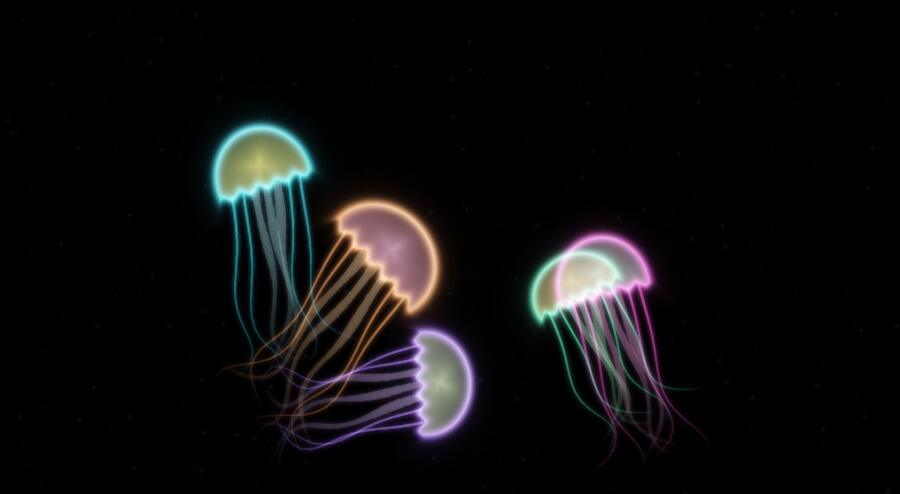
Glowing see-through jellyfish swim out of the source through a dark sea: they squeeze and shoot forward on the kick drum, tentacles trailing behind.
Knobs (13)
| Knob | Range or choices | Starts at | Cable | What it does |
|---|---|---|---|---|
Originsource | pick position, fixed, center, bottom, top, left, right, bottom corners, all edges, ring, jump, scatter, drift, melody | bottom | no | Where the effect starts: a fixed place, a moving one, or places you pick yourself in the app. |
Sourcesemitters | 1 to 4 | 2 | yes | How many places the jellyfish come from. Changes in whole steps. |
Jellyfishcount | 1 to 7 | 5 | yes | How many jellyfish swim at once (1 to 7). Changes in whole steps. |
Sizesize | 0.3 to 2 | 1 | yes | How big the jellyfish are. |
Kick pulsepulse | 0 to 1 | 0.7 | yes | How hard a jellyfish squeezes and shoots forward on the kick drum. |
Drift speeddrift | 0 to 2 | 0.6 | yes | How fast they swim between kicks. |
Wanderwander | 0 to 1 | 0.4 | yes | How much they turn and meander as they swim. |
Tentacle lengthtentacles | 0.2 to 2 | 1 | yes | How long the trailing tentacles are. |
Sea speckssnow | 0 to 1 | 0.6 | yes | Tiny drifting specks in the water around them. |
ColorcolourMode | mixed neon, shared palette, custom | mixed neon | no | Mixed neon colors, the shared palette, or your own color. |
Custom colorcolour | a color | #38e8ff | yes | With Color set to custom: the jellyfish color. |
Glowglow | 0 to 1 | 0.6 | yes | The soft haze of light round the jellyfish. |
Brightnessbrightness | 0.2 to 2 | 1 | yes | Overall brightness. |
Living Paintingpainting
Load a painting and the music moves its paint along its own brushstrokes, blooms its busy areas on the beat and trades its colors with the chords, then brings it back to the original.
Knobs (16)
| Knob | Range or choices | Starts at | Cable | What it does |
|---|---|---|---|---|
Fitfit | fill screen, whole painting | fill screen | no | Fill screen crops the painting to cover the whole screen. Whole painting shows all of it, with bare edges around it. |
Likenesslikeness | 0 to 1 | 0 | yes | Lays the untouched painting over the moving paint. 0 = only the moving paint; 1 = the original painting, still. Patch it to drift between the two. |
ReturnreturnAmt | 0 to 1 | 0.55 | yes | How strongly the paint is pulled back to the original painting. 0 = it never comes back and keeps drifting; higher = it settles home quickly. |
Return whenreturnWhen | always, quiet parts, new sections, every 4 bars, every 8 bars | always | no | When the pull back to the original happens: all the time, only in quiet parts, for a few seconds at each new section of the song, or every 4 or 8 bars. |
Movestarget | whole painting, lines only, except lines | whole painting | no | Which part of the painting moves: all of it; only her drawn lines (pen, crayon and paint lines) while the color fields stay put; or everything except the lines, so the lines hold while the color moves around them. |
Line detaillineDetail | 0 to 1 | 0.5 | yes | How faint a mark still counts as one of her lines. Higher = more and fainter lines join in; lower = only the boldest lines. |
Line glowlineGlow | 0 to 1 | 0 | yes | Her lines brighten with the beat and the loudness. The glow stays where the lines were drawn. |
Movementmovement | 0 to 1 | 0.4 | yes | How much the music moves the paint. The bass and the loudness do the pushing. |
Follow strokesstrokes | 0 to 1 | 0.8 | yes | How closely the paint follows the direction of her brushstrokes. High = paint slides along her strokes; low = it swirls freely. |
Favor busy areasbusy | 0 to 1 | 0.7 | yes | How much the busy, heavily worked areas move compared with the calm, flat areas. High = calm areas stay still. |
Beat bloomsbloom | 0 to 1 | 0.5 | yes | On each beat, a swirl opens at one of the busiest spots of the painting (on the lines when only the lines move). Higher = bigger swirls. |
Shimmershimmer | 0 to 1 | 0.35 | yes | A fine trembling of the paint driven by the high notes (cymbals, hats, sparkle). |
Swirlswirl | 0 to 1 | 0.4 | yes | How much the paint curls into small eddies as it moves. |
Thicknessviscosity | 0 to 1 | 0.35 | yes | How thick the paint feels. Thick paint moves in short, heavy pushes; thin paint flows on further, like a wash. |
Chord colorscolourShift | 0 to 1 | 0.35 | yes | When the chord changes, her colors trade places with each other: each area takes on another of her own colors, keeping its lightness. 0 = colors never change. |
Brightnessbrightness | 0.5 to 1.5 | 1 | yes | Overall brightness of the painting. |
Melody Threadmelody-thread
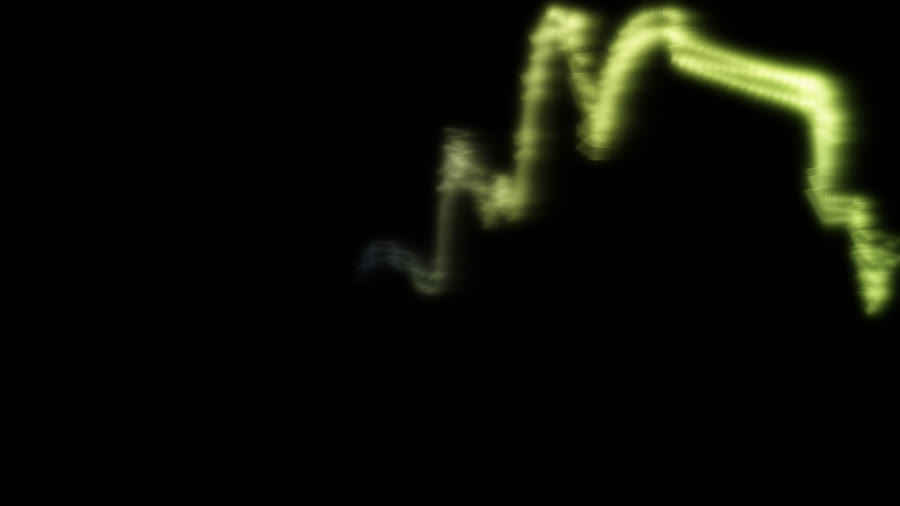
A glowing silk ribbon traces the sung melody: pitch is height, loudness is thickness, vibrato shimmers, sustained notes bloom, chords tint it.
Knobs (17)
| Knob | Range or choices | Starts at | Cable | What it does |
|---|---|---|---|---|
Followfollow | automatic, analyzed melody, live sound | automatic | no | Where the ribbon gets the tune from. Automatic uses the analyzed melody once it is ready, and live sound until then. Analyzed melody uses the song analysis; live sound follows the sound bands and works on any song right away. |
Pitch zoomzoom | 0.5 to 3 | 1.5 | yes | How far the ribbon rises and falls for each note. Higher = bigger swings between low and high notes; the line stays centered on the singer's usual range. |
Smoothnesssmoothness | 0 to 1 | 0.4 | yes | How long the ribbon takes to glide to a new note (about 0.03 to 0.4 s). Lower shows every wobble and vibrato; higher draws long, smooth curves. |
Fade in gapsgapFade | 0 to 1 | 0.4 | yes | How slowly the ribbon dims when the singing stops (about 0.1 to 1.5 s). Higher = it lingers through short pauses. |
Originsource | center, bottom, top, left, right, jump, scatter | right | no | Where the effect starts: a fixed place, a moving one, or places you pick yourself in the app. |
Wrap edgeswrap | on or off | off | yes | On: a line that leaves one edge comes back in at the opposite edge until it fades. Off: it simply flows off screen. |
Ribbon widthwidth | 0.2 to 3 | 1 | yes | How thick the ribbon is. Choruses and builds widen it further on their own. |
Strandsstrands | 1 to 5 | 3 | yes | How many threads braid round each other (1 to 5). In center mode each strand is its own ray. Changes in whole steps. |
Flow speedspeed | 0.03 to 0.5 | 0.11 | yes | How fast the drawn line flows away from the pen, in screen lengths per second. Higher = notes spread out more and leave sooner. |
Durationtrail | 1 to 30 | 7 | yes | How long the line lives before it has faded away, in seconds (1 to 30). Long durations with Wrap on keep a whole verse on screen. |
Shimmershimmer | 0 to 1 | 0.6 | yes | How much the singer's vibrato shows as rippling light along the ribbon. 0 = a calm, even line. |
Glowglow | 0 to 1 | 0.6 | yes | The soft halo of light around the ribbon. It swells a little in choruses. |
Trailsecho | 0 to 1 | 0.35 | yes | How long a faint afterimage stays where the ribbon was. 0 = clean, higher = smoky trails. |
Brightnessbrightness | 0.3 to 2 | 1 | yes | Overall brightness of the ribbon and its glow. |
ColorcolourMode | chords, shared palette, custom | chords | no | How the ribbon is colored. Chords follows the song's chords (related chords get related colors); shared palette uses the color all layers agree on; custom uses your two colors below. |
Low notescolourLow | a color | #ff7a3d | yes | With Color set to custom: the ribbon's color on low notes. It blends towards the High notes color as the voice rises. |
High notescolourHigh | a color | #7ad4ff | yes | With Color set to custom: the ribbon's color on high notes. |
Note Nurserynote-nursery
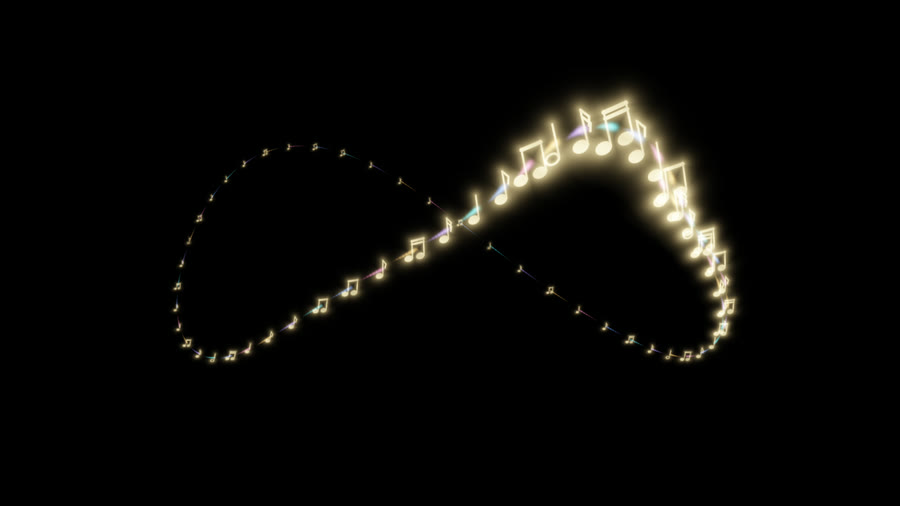
A graceful stream of little gold musical notes swims through deep space, trailing teal, violet, gold, rose and blue light. The music ripples down its body.
Knobs (15)
| Knob | Range or choices | Starts at | Cable | What it does |
|---|---|---|---|---|
Notescount | 8 to 64 | 28 | yes | Number of notes traveling together. More notes make a longer dragon. |
Note sizesize | 0.4 to 2 | 1 | yes | Size of the gold notes. Distance still shrinks them to specks. |
Spacingspacing | 0.4 to 2 | 1 | yes | Distance between neighbors along the route. |
Swim speedspeed | 0 to 2 | 0.7 | yes | Forward speed through space. At zero the stream stays in place and gently undulates. |
Reachroam | 0.2 to 1 | 0.85 | yes | How much of the screen the winding flight visits. |
Depthdepth | 0 to 1 | 1 | yes | Near and far perspective. Zero keeps every note at the same distance. |
Body wavewave | 0 to 1.5 | 0.65 | yes | Strength of the traveling wave from head to tail. |
Horizontal centercentreX | 0 to 1 | 0.5 | yes | Horizontal center of the route: left to right. |
Vertical centercentreY | 0 to 1 | 0.5 | yes | Vertical center of the route: top to bottom. |
Comet tailstail | 0 to 1.5 | 0.65 | yes | Length of each short colored tail. Zero removes tails. |
Glowglow | 0 to 1 | 0.55 | yes | Soft local halo around each note, without filling the background. |
Brightnessbrightness | 0 to 2 | 1 | yes | Light from notes and tails. Zero makes this layer fully transparent. |
Note colorgold | a color | #ffda87 | yes | The notes keep this color; their tails use the five title colors. |
Music responseresponse | 0 to 1 | 0.75 | yes | Bass breathes size and wave; mids guide speed; treble brightens tails; beats send a soft pulse along the body; sections open the route. |
Melody liftmelody | 0 to 1 | 0.6 | yes | Confident analyzed melody gently lifts and lowers the stream. Unavailable melody stays centered. Scaled by Music response. |
Attentionattention
Glowing beads remember the music. Threads reach back to similar beats, while a faint bead guesses what comes next.
Knobs (6)
| Knob | Range or choices | Starts at | Cable | What it does |
|---|---|---|---|---|
Memorymemory | 32 to 256 | 128 | yes | How many beats remain in the ring. Longer memory can recognize a returning chorus. |
Headsheads | 1 to 4 | 3 | yes | Separate listeners for bass, middle, treble, then onset and rhythm. Each has a scene color. |
Focusfocus | 0.05 to 1 | 0.65 | yes | High focus favors strong matches. Builds spread the threads; drops lock each head to its best match. |
Threads per headthreads | 1 to 12 | 5 | yes | Maximum remembered beats each head reaches toward. |
Guess ghostguess | 0 to 1 | 0.65 | yes | Brightness of the next-beat prediction. A correct guess shines; a miss briefly fragments. |
Layoutlayout | Ring, Spiral, Line | Ring | no | Arrange memory in a ring, a curling spiral, or a line along the long side. |
Equalizerequalizer
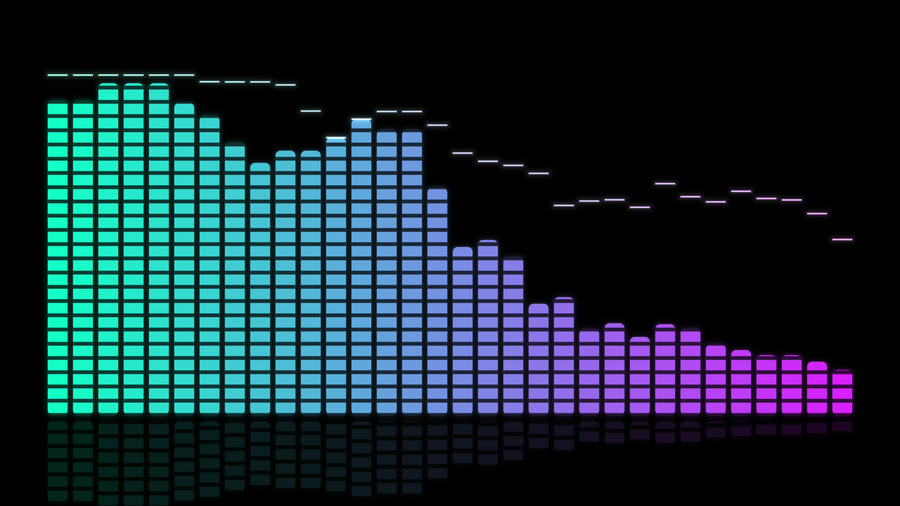
A luminous spectrum instrument: neon LEDs, liquid ribbons, radial crowns and a receding history of the sound.
Knobs (25)
| Knob | Range or choices | Starts at | Cable | What it does |
|---|---|---|---|---|
Stylestyle | Neon LEDs, Glass bars, Spectrum ribbon, Radial crown, Perspective history | Neon LEDs | no | Choose segmented LEDs, smooth bars, a joined spectrum, a circular spectrum or past spectra in perspective. |
Scalescale | Absolute, Normalized | Absolute | no | Absolute uses the fixed loudness mapping; Normalized follows each band’s adaptive peak. |
Barsbars | 16, 32, 64 | 32 | no | Choose the number of bars, taking the loudest value in each group of adjacent bands. |
Smoothingsmoothing | 0 to 1 | 0 | yes | Add up to one second of smoothing; zero displays each delivered frame exactly. |
Peak capspeakHold | on or off | on | yes | Show recent raw maxima as bright falling caps on bars and the radial crown. |
Peak fall speedfall | 0.05 to 2 | 0.3 | yes | Set how much of the full scale the peak caps fall each second. |
Bar gapgap | 0 to 0.8 | 0.22 | yes | Set the space between neighboring bars or radial spokes. |
Roundnessroundness | 0 to 1 | 0.5 | yes | Round the ends and corners of bars and radial spokes. |
LED stepssegments | 8 to 48 | 24 | yes | Set the number of light segments across the full height of an LED bar. |
Ribbon edgelineWidth | 0.5 to 5 | 1.5 | yes | Set the thickness of the bright edge on spectrum ribbons and history rows. |
Ribbon fillfill | 0 to 1 | 0.25 | yes | Fill the area under the spectrum ribbon with translucent color. |
Mirrormirror | on or off | off | yes | Grow bars on both sides of the baseline or extend the radial crown inward as well. |
Rotationrotation | -180 to 180 | 0 | yes | Rotate the display without changing the frequency order or audio values. |
Crown radiusradius | 0.1 to 0.65 | 0.35 | yes | Set the empty center radius of the radial crown. |
Floor reflectionreflection | 0 to 1 | 0.35 | yes | Add a fading reflection beneath the LED, glass or ribbon spectrum. |
Neon glowglow | 0 to 1 | 0.65 | yes | Add a soft local halo around lit bars and spectrum edges. |
Brightnessbrightness | 0.2 to 2 | 1 | yes | Adjust the light intensity without changing the measured heights. |
Color schemecolourMode | Aurora · cyan / violet, Fire · gold / crimson, Ice · blue / white, Classic · green / yellow / red, Rainbow, Shared palette, Custom gradient | Aurora · cyan / violet | no | Choose a fixed color scheme, the shared palette or your own two-color gradient. |
Color directiongradient | By frequency, By height | By frequency | no | Run the color gradient across frequencies or up the measured height. |
Low colorcolour | a color | #28efd9 | yes | Set the low end of the Custom gradient. |
High colorcolourHigh | a color | #e348ff | yes | Set the high end of the Custom gradient. |
History rowshistoryRows | 4 to 24 | 16 | yes | Choose how many real past spectra appear behind the current spectrum. |
History secondshistoryTime | 0.5 to 4 | 2 | yes | Set the time covered by the fixed-size history ring. |
Perspective depthdepth | 0.2 to 1 | 0.75 | yes | Spread and shrink older history rows into the distance. |
Frequency guidesguides | on or off | off | yes | Show faint markers at 100 Hz, 1 kHz and 10 kHz without labels. |
Lissajous Scopelissajous-scope
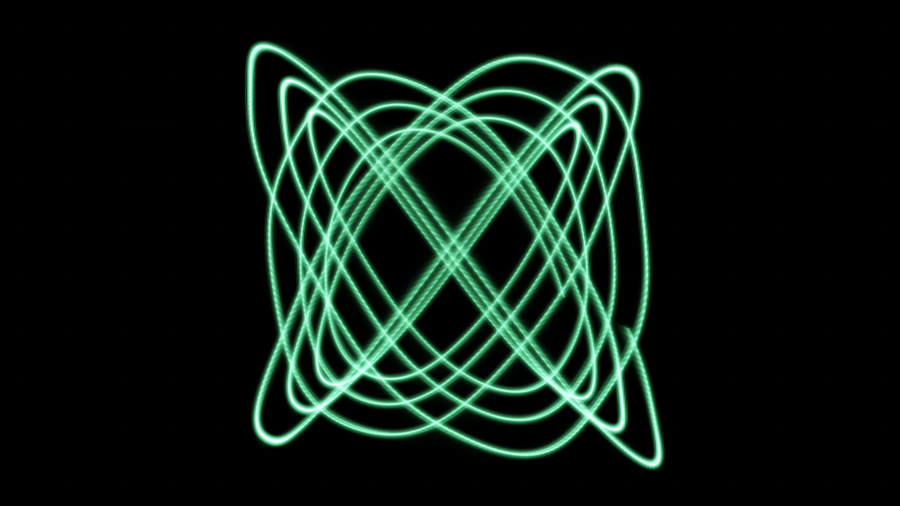
A glowing phosphor oscilloscope drawing harmonograph figures: the shape steps to a new ratio every bar, bass and treble set its size and the bands ripple along the trace.
Knobs (13)
| Knob | Range or choices | Starts at | Cable | What it does |
|---|---|---|---|---|
Originsource | pick position, fixed, center, bottom, top, left, right, jump, scatter, drift, melody | center | no | Where the effect starts: a fixed place, a moving one, or places you pick yourself in the app. |
Sizesize | 0.1 to 1.2 | 0.95 | yes | How big the figure is. The bass and treble make it breathe. |
Shape changeschange | every beat, every bar, every 4 bars, chord changes, never | every bar | no | When the figure moves to a new frequency ratio: every beat, every bar, every 4 bars, on chord changes, or never. |
Glideglide | 0.05 to 3 | 0.8 | yes | How many seconds the figure takes to unwind into the next shape. |
Spinspin | 0 to 2 | 0.25 | yes | How fast the figure turns, as if it were a 3D wire shape. |
Band rippleripple | 0 to 1 | 0.4 | yes | How much the bands shake the trace along its length. |
Beam widthwidth | 0.5 to 6 | 2.2 | yes | Thickness of the beam, in pixels. |
Trailspersistence | 0 to 1 | 0.35 | yes | How long the phosphor keeps glowing after the beam moves on. 0 = no trail. |
ColorcolourMode | green screen, amber, shared palette, custom | green screen | no | Green CRT phosphor, amber, the shared palette, or your own color. |
Beam colorcolour | a color | #7a6bff | yes | With Color set to custom: the beam color. |
Gridgraticule | 0 to 1 | 0.4 | yes | A faint measuring grid behind the trace, like a real scope. |
Glowglow | 0 to 1 | 0.6 | yes | The bloom around the beam. |
Brightnessbrightness | 0.2 to 2 | 1 | yes | Overall brightness. |
Crystal Cellscrystal-cells
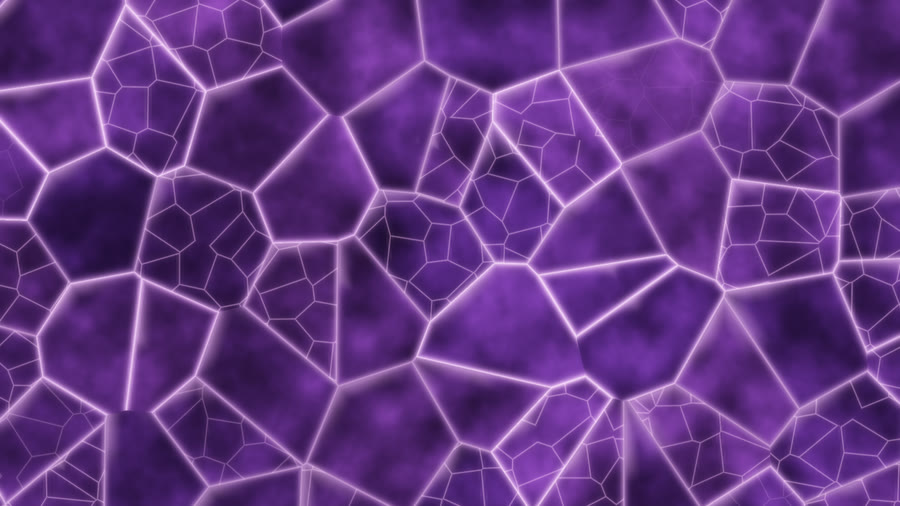
A stained-glass window of drifting cells: each pane's edges glow with its own band, the glass refracts a slow light and cells crack into shards on sharp hits.
Knobs (8)
| Knob | Range or choices | Starts at | Cable | What it does |
|---|---|---|---|---|
Cell sizecells | 2 to 14 | 5 | yes | How many cells fit across the screen. Higher = smaller panes. |
Driftdrift | 0 to 1 | 0.35 | yes | How quickly the cells wander and reshape. It quickens with the music's energy. |
Glassinessglass | 0 to 1 | 0.7 | yes | How strongly each pane bends the light behind it and catches a highlight. |
Edge glowedges | 0 to 2 | 1 | yes | How brightly the lines between panes glow; each pane's edge follows its own band. |
Hit crackscracks | 0 to 1 | 0.6 | yes | On sharp hits some panes crack into small shards that heal over a second or two. 0 = never. |
Gem colorsgem | amethyst, emerald, sapphire, ruby, amber, shared palette | amethyst | no | Which gem the glass is made of, or the shared palette (a rainbow window that shifts with the other layers). |
Glowglow | 0 to 1 | 0.4 | yes | The soft haze around bright edges. |
Brightnessbrightness | 0.2 to 2 | 1 | yes | Overall brightness. |
Recall Latticerecall-lattice
A turning cloud of tiny lights remembers the music. Connections grow with repeated beats, fade when unused, and light up again when familiar sounds return.
Knobs (8)
| Knob | Range or choices | Starts at | Cable | What it does |
|---|---|---|---|---|
Memorymemory | 0 to 1 | 0.55 | yes | How quickly repeated beats strengthen connections. Zero stops new learning. |
Forgettingforgetting | 0 to 1 | 0.25 | yes | How quickly unused connections fade. Zero keeps their strength. |
Recallrecall | 0 to 1 | 0.8 | yes | How brightly a familiar passage lights its remembered web. Matching sounds are required, even when section names repeat. |
Densitydensity | 50 to 300 | 200 | yes | Number of nodes, chosen when this Element starts. Save and reload the scene to apply a new count. |
Spinspin | 0 to 1 | 0.3 | yes | Slow turning speed. Song progress also gently turns the cloud. |
ColorcolourMode | Scene palette, Fixed color | Scene palette | no | Follow the scene colors or use a fixed color. |
Fixed colorcolour | a color | #71dfff | yes | Color used when Color is set to Fixed color. |
Positionsource | Center, Chosen places, Drift | Center | no | Center the cloud, anchor it to the first chosen place, or let its center drift. |
Hunchhunch
A pearly folded creature guesses the next musical accent. Faint paper poses rehearse ahead of the beat, then become solid or peel away when the music changes its mind.
Knobs (8)
| Knob | Range or choices | Starts at | Cable | What it does |
|---|---|---|---|---|
Originsource | pick position, fixed, center, bottom, top, left, right, bottom corners, all edges, ring | center | no | Where the effect starts: a fixed place, a moving one, or places you pick yourself in the app. |
Scalescale | 15 to 100 | 65 | yes | Size as a percentage of the screen’s short side. |
Anticipationanticipation | 0 to 2 | 1 | yes | How many beats ahead the next pose begins to unfold. Zero hides previews. |
Alternativesalternatives | 1 to 3 | 2 | yes | Number of possible next poses rehearsed in tracing paper. |
Convictionconviction | 0 to 100 | 70 | yes | Soft folding at zero; crisp decisions at one hundred. |
Flexibilityflexibility | 0 to 100 | 25 | yes | Rigid paper hinges through gently curved sheets. |
Finishfinish | Pearl, Brushed metal, Translucent | Pearl | no | The surface of the folded sheets. Scene colors tint every finish. |
Ghost opacityghostOpacity | 0 to 60 | 28 | yes | Visibility of the possible poses. Zero shows only the solid creature. |
Counterfactualcounterfactual
Luminous ribbons imagine several futures. The next hit chooses one; the others fold into faint ghosts. Chosen paths slowly grow a shared shape.
Knobs (8)
| Knob | Range or choices | Starts at | Cable | What it does |
|---|---|---|---|---|
Futuresfutures | 2 to 8 | 6 | yes | Maximum ribbons across the entire picture, including outgoing thoughts and all anchors. Energy opens more possibilities. |
Foresightforesight | 0.25 to 2 | 1 | yes | How many beats ahead the ribbons reach. Quiet passages grow slowly and carefully. |
Commitmentcommitment | 0 to 1 | 0.75 | yes | How solid and bright a matching prediction becomes on the next hit. |
Memory trailmemory | 0 to 1 | 0.55 | yes | How long faint diagrams of earlier paths remain. Zero clears the ghosts. |
Curiositycuriosity | 0 to 1 | 0.55 | yes | Calm to wild: opens the crown and increases curling, forks and petals. |
Underlayer instinctinstinct | -1 to 1 | 0 | yes | Negative avoids bright parts of lower layers; positive seeks them. Zero follows the music alone. |
Line charactercharacter | Silk, Glass, Electric, Ink | Silk | no | Silk flows softly; glass has bright edges; electric shivers; ink makes broad dark-edged strokes. |
Originsource | Center, Anchors, Drift | Center | no | Grow from the center or chosen anchors. Anchors share the same ribbon budget. |
Second Guesssecond-guess
Ghosts guess the coming beats. They drift into a fine now line, glow when right and scatter into sparks when surprised. Repeating music gradually sharpens the forecast.
Knobs (8)
| Knob | Range or choices | Starts at | Cable | What it does |
|---|---|---|---|---|
Lookaheadlookahead | 2 to 16 | 8 | yes | How many future beats fit ahead of the now line. These are guesses learned from previous beats, not future audio. |
Confidenceconfidence | 0 to 1 | 0.35 | yes | How solid an unfamiliar prediction starts. Repeated patterns become clearer as they are learned. |
Memorymemory | 1 to 16 | 4 | yes | Bars remembered by the sixteen-beat pattern. Short memory adapts quickly; long memory holds earlier patterns. |
Surprise flareflare | 0 to 2 | 1 | yes | White light and sparks when the sound differs from the forecast. Zero removes the surprise flare. |
Ripple into layer belowripple | 0 to 1 | 0.35 | yes | A surprise sends a ripple through bright parts of the lower layers. Needs a visible layer below. |
Trailtrail | 0 to 1 | 0.55 | yes | How long resolved beats glow behind the now line. |
Originsource | pick position, fixed, center, bottom, top, left, right, bottom corners, all edges, ring | fixed | no | Where the effect starts: a fixed place, a moving one, or places you pick yourself in the app. |
Emit from anchorsanchors | on or off | off | yes | Ghosts drift from the nearest chosen anchor toward the now line. Uses the layer’s shared places. |
Logit Gardenlogit-garden
Luminous marks compete to be the next choice. Music tilts their odds; each beat prints a winner into a drifting ribbon of memories.
Knobs (8)
| Knob | Range or choices | Starts at | Cable | What it does |
|---|---|---|---|---|
Candidatescandidates | 4 to 16 | 8 | yes | How many marks compete. Each listens to a different group of music frequencies. |
Temperature biastemperature | 0 to 1 | 0.5 | yes | Higher values make the choice more decisive. Bass and musical builds sharpen it further. |
Attention threadsattention | 0 to 1 | 0.45 | yes | Brightness of the fine connections between candidates. Zero hides the threads. |
Ribbon speedribbonSpeed | 0 to 2 | 0.7 | yes | How quickly earlier winners drift along the ribbon. Zero stops the drift; new winners still advance the sentence. |
Glyph styleglyphStyle | Runes, Circuits, Strokes, Dots | Runes | no | Four families of abstract marks, never real text. |
Color modecolourMode | Scene palette, Hue turn, Picture underneath | Scene palette | no | Use scene colors, a turning color wheel, or sample the lower layers. An empty lower picture keeps the palette visible. |
Drop flaredropFlare | 0 to 1 | 0.7 | yes | Size and strength of the winning mark during an analyzed drop. Zero removes the large flare. |
Originsource | Center, Chosen places, Bottom, Ring, Drift | Center | no | The fan rises from these anchors. Nearby anchors gather into one stream. |
Solidsolid
One flat color over the whole screen. Under everything it is a colored background; with Multiply on top it tints the layers below; with Add a cable on Brightness makes it flash.
Knobs (3)
| Knob | Range or choices | Starts at | Cable | What it does |
|---|---|---|---|---|
ColorcolourMode | custom, scene colors | custom | no | Your own color, or the moving scene color (it travels along the scene colors). |
Colorcolour | a color | #141b33 | yes | The color, when Color is custom. |
Brightnessbrightness | 0 to 2 | 1 | yes | How bright the color is. 0 is black. A cable from the beat or a hit makes it pulse. |
Gradientgradient
Two colors blended across the screen, straight or round from a point, turning slowly if you like. A calm background, or a color wash over everything with Multiply.
Knobs (11)
| Knob | Range or choices | Starts at | Cable | What it does |
|---|---|---|---|---|
Stylestyle | straight, round | straight | no | Straight: from one side to the other. Round: from a point outward. |
Angleangle | 0 to 360 | 90 | yes | Which way the colors run, in degrees. 90 runs from top to bottom. |
Turnturn | -1 to 1 | 0 | yes | Turns the angle slowly: 1 goes once round in 10 seconds, negative the other way. |
Center acrossx | 0 to 1 | 0.5 | yes | Where the middle of the blend sits, left (0) to right (1). |
Center downy | 0 to 1 | 0.5 | yes | Where the middle of the blend sits, top (0) to bottom (1). |
Spreadspread | 0.1 to 2 | 1 | yes | How wide the blend is. Small gives a sharp edge between the colors; large a long, soft fade. |
ColorscolourMode | custom, scene colors | custom | no | Your own two colors, or two of the scene colors, moving along them. |
First colorcolourA | a color | #0b1030 | yes | The color at the start (the top, or the middle of a round gradient). |
Second colorcolourB | a color | #5a2a6e | yes | The color at the end (the bottom, or the outside of a round gradient). |
Color distancepaletteSpread | 0 to 1 | 0.3 | yes | How far apart along the scene colors the two ends are. |
Brightnessbrightness | 0 to 2 | 1 | yes | How bright the gradient is. |
Shapeshape
One clean shape: a circle, ring, square or triangle. Put a cable from the bass on its size for a pulse, or from the bar on its rotation; with Difference it inverts what is behind it.
Knobs (11)
| Knob | Range or choices | Starts at | Cable | What it does |
|---|---|---|---|---|
Shapeshape | circle, ring, square, triangle | circle | no | Which shape. |
Sizesize | 0.02 to 1 | 0.25 | yes | How big it is, as a share of the screen's shorter side. A cable from the bass makes it pulse. |
Ring widththickness | 0.005 to 0.3 | 0.04 | yes | How thick the ring's line is. |
Softnesssoftness | 0 to 1 | 0 | yes | How soft the edge is: 0 is crisp, 1 a soft glow. |
Rotationrotation | 0 to 360 | 0 | yes | Turns the shape, in degrees (a circle looks the same). |
Spinspin | -1 to 1 | 0 | yes | Keeps it turning: 1 goes once round in 10 seconds, negative the other way. |
Acrossx | 0 to 1 | 0.5 | yes | Where it sits, left (0) to right (1). |
Downy | 0 to 1 | 0.5 | yes | Where it sits, top (0) to bottom (1). A cable from the melody makes it rise and fall. |
ColorcolourMode | custom, scene colors | custom | no | Your own color, or the moving scene color. |
Colorcolour | a color | #8fb4ff | yes | The shape's color, when Color is custom. |
Brightnessbrightness | 0 to 2 | 1 | yes | How bright the shape is. |
Vignettevignette
Darkens the edges of the screen so the eye goes to the middle. Put it on top. A colored vignette with Screen makes a glowing frame instead.
Knobs (8)
| Knob | Range or choices | Starts at | Cable | What it does |
|---|---|---|---|---|
Strengthstrength | 0 to 1 | 0.8 | yes | How dark (or bright) the edges get. A cable from energy can open it up in the loud parts. |
Clear middlesize | 0 to 1.5 | 0.7 | yes | How big the untouched middle is. |
Softnesssoftness | 0.02 to 1.5 | 0.6 | yes | How gradual the edge is: small is a hard frame, large a long fade. |
Roundnessroundness | 0 to 1 | 0.5 | yes | 0 follows the screen's shape (an oval on a wide screen); 1 a circle. |
Center acrossx | 0 to 1 | 0.5 | yes | Where the clear middle sits, left (0) to right (1). |
Center downy | 0 to 1 | 0.5 | yes | Where the clear middle sits, top (0) to bottom (1). |
ColorcolourMode | custom, scene colors | custom | no | Black (or your own color), or the moving scene color. |
Edge colorcolour | a color | #000000 | yes | The edges' color. Black darkens; a color with Screen glows. |
Sand Platesand-plate
Glowing sand on a vibrating plate gathers into Chladni figures: every chord shakes it into a new figure, hits throw grains up, bass blurs the lines and treble sparkles.
Knobs (14)
| Knob | Range or choices | Starts at | Cable | What it does |
|---|---|---|---|---|
Grainscount | 8192 to 65536 | 49152 | yes | How many grains of sand are on the plate. |
Detaildetail | 0 to 1 | 0.5 | yes | How intricate the figures are. Low = a few bold lines, high = fine lace. |
Figure sizescale | 0.4 to 2 | 1 | yes | How big one figure is. 1 = it fills the short side of the screen; smaller repeats it like tiles. |
Change timemorph | 0.2 to 3 | 0.9 | yes | How many seconds the sand takes to travel to a new figure when the chord changes. |
Bass shakeshake | 0 to 2 | 1 | yes | How much the bass shakes the plate: the lines blur and fizz. 0 = always razor sharp. |
Hit bouncebounce | 0 to 1 | 0.6 | yes | On drum hits, a share of the grains is thrown up off the plate, flares and lands a little scattered. 0 = no bounce. |
Sparklesparkle | 0 to 1 | 0.6 | yes | How much the treble makes moving grains glint. |
Grain sizesize | 0.5 to 4 | 2 | yes | How big each grain is, in pixels. |
Trailstrails | 0 to 1 | 0.25 | yes | How long the fading trail behind moving grains is. 0 = no trail. |
Glowglow | 0 to 1 | 0.55 | yes | The soft haze around the lines. |
Brightnessbrightness | 0.2 to 2 | 1 | yes | Overall brightness. |
ColorcolourMode | shared palette, chords, custom | shared palette | no | Where the colors come from: the shared palette all layers agree on, the song's harmony, or your two colors below. |
Middle colorcolourA | a color | #ffcf7a | yes | With Color set to custom: the color of the sand in the middle of the plate. |
Edge colorcolourB | a color | #7ad8ff | yes | With Color set to custom: the color toward the edges. |
Pendulum Wavependulum-wave
Hanging rigs of luminous pendulums swing into waves and braids, drift apart and reunite: bass widens the arcs, hits gather their phases, treble glints at each crossing. Idea by Astra and Fable.
Knobs (12)
| Knob | Range or choices | Starts at | Cable | What it does |
|---|---|---|---|---|
Bobs per rigcount | 24 to 64 | 40 | yes | How many distinct pendulums hang in each rig. Fewer makes the waves and individual strings easier to follow. |
Arrangementlayout | hanging rows, concentric rings | hanging rows | no | A hanging curtain or rings of suspended lights. Both use the same ordered swing law. |
Reunion barsreunion | 2 to 16 | 8 | yes | Base reunion period in bars. Alternating rigs use half and equal periods, developing long waves through most of the cycle with a brief disorder interval. Unknown tempo uses 120 BPM. |
Swingswing | 0 to 1.5 | 0.85 | yes | Vertical swing relative to the gap between rigs. Bass and musical energy open the waves; quiet music keeps a smaller visible wave. |
Hit gatheringsync | 0 to 1 | 0.3 | yes | Ordinary hits tighten the wave partway and send a flash along it without resetting its clock. Rare strong onsets at high energy gather completely; full resets are at least eight seconds apart. Zero disables both. |
Treble glintsglints | 0 to 1 | 0.65 | yes | Treble makes lights flash briefly as they cross the middle of their swing. |
Depthdepth | 0 to 1 | 0.85 | yes | Compresses distant rigs and shrinks their bobs while opening dark space between the large foreground pendulums. |
Stringsstrings | 0 to 1 | 0.7 | yes | Visible suspension threads and their supporting rails. Zero hides both. |
Trailstrails | 0 to 1 | 0.25 | yes | A short comet hugging each bob's swing arc. Zero removes tails; no past-frame haze is retained. |
ColorcolourMode | shared palette, chords | shared palette | no | Phase blends smoothly through a narrow scene-palette range, or related hues around the chord root. |
Glowglow | 0 to 1 | 0.55 | yes | The soft halo around the suspended lights. |
Brightnessbrightness | 0.2 to 2 | 1.15 | yes | Overall light output. |
Sync Lanternssync-lanterns
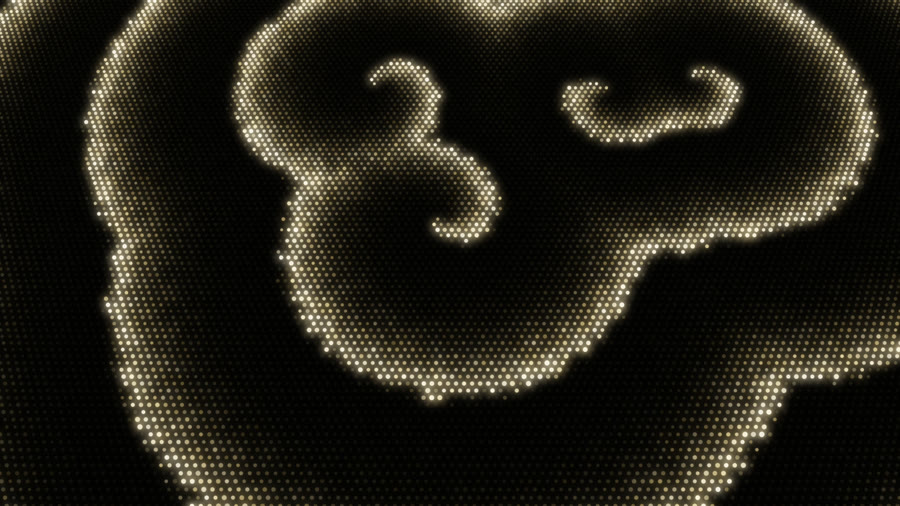
A field of lanterns that pull each other into step, so waves and spirals of flashes sweep across it: beats pulse the field, big hits flash it all at once, bass draws it together, treble breaks it up.
Knobs (16)
| Knob | Range or choices | Starts at | Cable | What it does |
|---|---|---|---|---|
Lanternsdensity | 30 to 160 | 70 | yes | How many lanterns fit across the short side of the screen. More gives finer waves. |
Lantern sizesize | 0.15 to 1 | 0.5 | yes | How big each lantern is, as a share of the gap to its neighbor. Small keeps dark gaps between them. |
Tilttilt | 0 to 0.9 | 0.45 | yes | Tips the field back like a plain of lanterns seen from above. 0 = flat, facing you. |
Blink ratespeed | 0.25 to 2 | 0.5 | yes | How often each lantern flashes, in flashes per beat at the song's tempo. |
Flash lengthflash | 0.04 to 0.4 | 0.12 | yes | How long a flash glows before the lantern goes dark, as a share of its cycle. Short = crisp blinks. |
Pull togethercoupling | 0 to 2 | 1 | yes | How strongly each lantern pulls its neighbors into step; the bass makes it stronger, so loud bass gives faster, smoother sweeping waves and quiet parts drift more loosely. |
Disorderspread | 0 to 1 | 0.3 | yes | How rough the fronts are: each lantern's own rhythm differs a little, and the treble scatters the flashes along the fronts into sparkle (the waves themselves stay whole). |
Spiral twisttwist | 0 to 1.2 | 0.7 | yes | How much the waves curl into turning spirals. 0 = plain fronts that settle into step. |
Beat pulsebeatKick | 0 to 1 | 0.3 | yes | On each beat where a flash is due, every lantern is nudged toward flashing, so the field pulses with the beat. |
Hit flashhit | 0 to 1 | 0.8 | yes | On a big hit nearly every lantern flashes at once, then they drift apart again. 0 = off. |
ColorcolourMode | shared palette, chords, custom | shared palette | no | Where the colors come from: the shared palette all layers agree on (the chord walks the lanterns along it), the song's chords, or your two colors below. |
Color rangehueSpread | 0 to 1 | 0.25 | yes | How different the lanterns' colors are from each other. |
First colorcolourA | a color | #ffc46b | yes | With Color set to custom: one end of the lanterns' colors. |
Second colorcolourB | a color | #6bd8ff | yes | With Color set to custom: the other end. |
Glowglow | 0 to 1 | 0.55 | yes | The soft haze around the flashing lanterns. |
Brightnessbrightness | 0.2 to 2 | 1 | yes | Overall brightness. |
Iron Filingsiron-filings
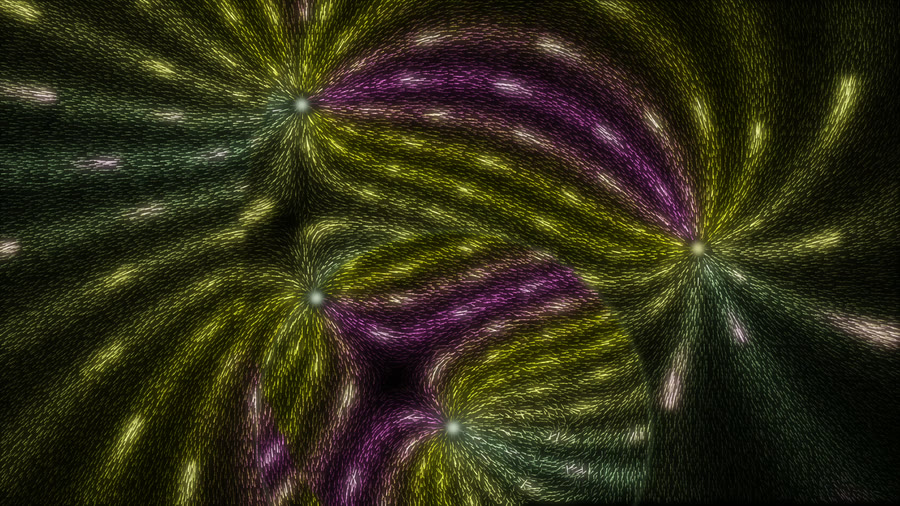
Thousands of glowing needles combed along the field of magnetic poles that sit on the chord's notes: hits flip a pole and the field re-combs in a wave, bass pulls the needles tight, the spectrum sends light running along the field lines.
Knobs (12)
| Knob | Range or choices | Starts at | Cable | What it does |
|---|---|---|---|---|
Needlescount | 8192 to 40960 | 24576 | yes | How many needles cover the screen. More = finer, denser field lines. |
Polespoles | 2 to 8 | 4 | yes | How many magnetic poles shape the field. They sit on the chord's notes round a slowly turning ring and glide when the chord changes. Changes in whole steps. |
Needle lengthlength | 0.4 to 2 | 1 | yes | How long each needle is, compared with the gap between them. |
Turn speedresponse | 0.2 to 3 | 1 | yes | How quickly the needles swing round to follow the field. Low = slow, heavy waves when the field changes. |
Hit flipsflips | 0 to 1 | 0.6 | yes | On beats, one pole flips (north becomes south) and the needles re-comb end for end in a wave spreading from it; a big hit flips them all. 1 = every beat, 0.5 = every other beat, 0 = never. |
Bass pullbassPull | 0 to 2 | 1 | yes | How much the bass strengthens the field: the needles line up tight and glow brighter. With no bass they lie loose. |
Light pulsespulses | 0 to 2 | 1 | yes | Pulses of light that run along the field lines, each line lit by its own part of the spectrum. 0 = none. |
Treble shivershiver | 0 to 1 | 0.5 | yes | How much the treble makes the needles tremble. |
ColorcolourMode | shared palette, chords | shared palette | no | Where the colors come from: the shared palette all layers agree on, or the song's chords. |
Color rangehueSpread | 0 to 1 | 0.6 | yes | How different the colors round each pole are from each other. |
Glowglow | 0 to 1 | 0.6 | yes | The soft haze around the needles. |
Brightnessbrightness | 0.2 to 2 | 1 | yes | Overall brightness. |
Sequin Tidesequin-tide
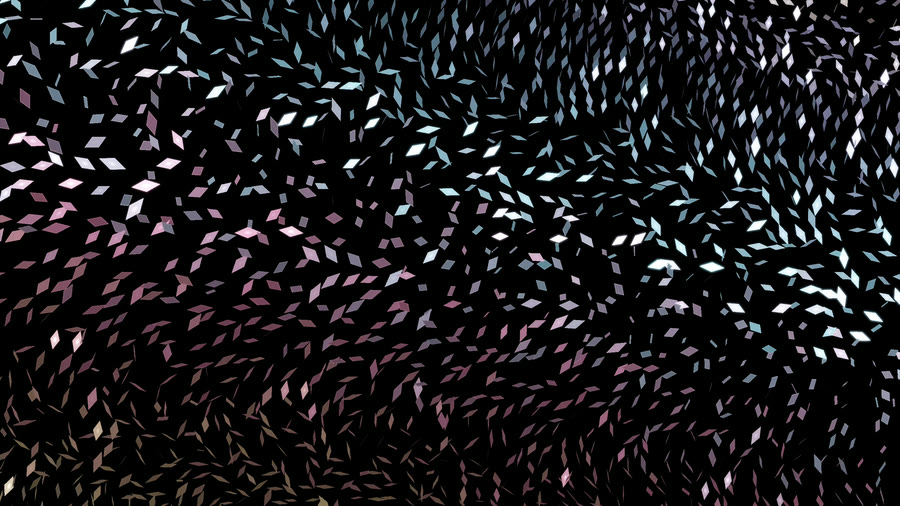
Thousands of luminous diamonds hinge together across a curved skin: bass billows, hits send flips traveling, and chords turn the sweeping flashes.
Knobs (11)
| Knob | Range or choices | Starts at | Cable | What it does |
|---|---|---|---|---|
Sequinscount | 3000 to 5000 | 3200 | yes | How many facets cover the surface; fewer leaves more dark space between diamonds. |
Facet sizefacet | 0.6 to 1.25 | 1 | yes | The long axis of each narrow diamond, scaled to the screen’s short side. |
Billowbillow | 0 to 1.5 | 0.7 | yes | How deeply the skin bends; bass pushes the billow further. |
Tilttilt | 0 to 1.5 | 1 | yes | How far the sequins turn around their hinges, narrowing to nothing when edge-on. |
Sweep speedsweep | 0.1 to 1.8 | 0.65 | yes | How quickly the shared tilt wave crosses the surface; chords slowly turn its direction. |
Variationvariation | 0 to 1 | 0.45 | yes | Differences in hinge direction, stiffness and delay break a flash into individual glints. |
Hit flipsflips | 0 to 1 | 0.75 | yes | How strongly drum hits launch a traveling band of turns. Zero disables hit flips. |
Flutterflutter | 0 to 1 | 0.45 | yes | Treble adds a fine flutter near the edge of each turn. |
ColorcolourMode | shared palette, chords | shared palette | no | Use the shared scene palette or colors chosen by chord root. |
Glowglow | 0 to 1 | 0.32 | yes | Soft light around each flash; lower values keep the diamonds crisp. |
Brightnessbrightness | 0.2 to 2 | 1 | yes | Overall light from the sequins and their glow. |
Attractor Cloudattractor-cloud
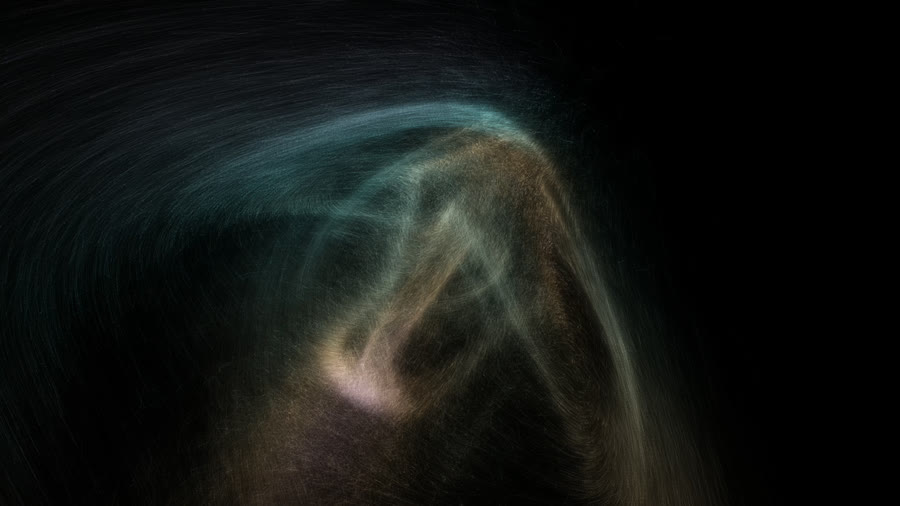
A cloud of glowing points streaming along a turning 3D strange attractor: bass makes the shape breathe, hits fling points out and the flow pulls them back, chord changes morph it into the next shape, treble sparkles.
Knobs (17)
| Knob | Range or choices | Starts at | Cable | What it does |
|---|---|---|---|---|
Shapeshape | cycle with the chords, Thomas (knot), Halvorsen (three lobes), Dadras (two loops), Lorenz (butterfly), Aizawa (hollow sphere) | cycle with the chords | no | Which attractor the points follow. Cycle moves to the next one every fourth chord change (or every 24 seconds without chords). |
Pointscount | 16384 to 262144 | 131072 | yes | How many points stream along the shape. More is denser and costs more (the 131k default keeps an iPhone XS at 60 fps). |
Flow speedspeed | 0.2 to 3 | 1 | yes | How fast the points run along the shape; the music's energy adds a little. |
Turningturn | 0 to 2 | 0.5 | yes | How fast the whole cloud turns round. 0 = still. |
Sizefill | 0.5 to 1.6 | 1 | yes | How much of the screen the cloud fills. |
Bass breathingbreathe | 0 to 1 | 0.7 | yes | How much the bass bends the shape (one of its parameters moves with the low end). |
Hit scatterscatter | 0 to 1 | 0.6 | yes | On drum hits a share of the points is flung outward, then the flow pulls them back. 0 = no scatter. |
Sparklesparkle | 0 to 1 | 0.5 | yes | How much each point flickers; the treble makes it livelier. |
Point sizesize | 0.5 to 5 | 1.8 | yes | How big each point is, in pixels. Nearer points are drawn bigger. |
Streaksstreak | 0 to 1 | 0.5 | yes | How long the short line each point draws along its flow is. 0 = dots only (about half the GPU cost, but grainier). |
Trailstrails | 0 to 1 | 0.4 | yes | How long the fading trail behind the points is. 0 = none. |
ColorcolourMode | shared palette, chords, custom | shared palette | no | Where the colors come from: the shared palette all layers agree on, the song's harmony, or your two colors below. |
Color rangehueSpread | 0 to 1 | 0.6 | yes | How far round the scene's colors (or between your two) the streams go: low keeps the cloud one color, high gives each stream its own. |
First colorcolourA | a color | #6be0ff | yes | With Color set to custom: the slower points' color. |
Second colorcolourB | a color | #ff7ad9 | yes | With Color set to custom: the faster points' color. |
Glowglow | 0 to 1 | 0.35 | yes | The soft haze around the cloud. |
Brightnessbrightness | 0.2 to 2 | 1 | yes | Overall brightness. |
Ring Systemring-system
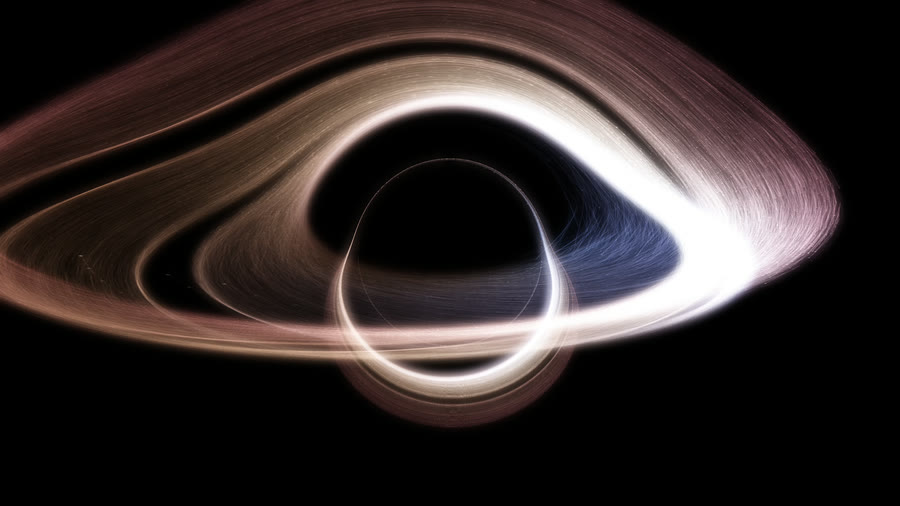
Thirty thousand moons on orbits round a dark world, piled into spiral arms by their shared precession: hits squeeze every orbit so the ring breathes, bass makes the world heavier and the arms tighter, treble sparkles at closest approach, chords swing the arms round.
Knobs (30)
| Knob | Range or choices | Starts at | Cable | What it does |
|---|---|---|---|---|
Moonscount | 1024 to 49152 | 30000 | yes | How many moons orbit. More = a denser ring, at a small cost in speed. |
Ring sizesize | 0.4 to 1.6 | 1 | yes | How big the ring is on the screen. 1 just fits the long side. |
Worldbody | 0 to 0.45 | 0.2 | yes | How big the world at the center is, as a share of the ring. 0 = no world, only the rings. |
Center holehole | 0.05 to 0.6 | 0.25 | yes | How big the empty middle of the ring is, as a share of the ring. Separate from the world, so World 0 leaves the rings round an empty hole. |
World lookworld | black hole, star, banded, dark | black hole | no | What sits in the middle: a black hole that bends the ring's light round it, a burning star, a gas giant with cloud bands in the scene colors, or a plain dark world. |
World spinspin | 0 to 3 | 1 | yes | How fast the world's cloud bands turn, or the star's surface boils. The bass stirs them faster. Banded and star looks. |
Auroraaurora | 0 to 1.5 | 0.6 | yes | How bright the aurora flashes round the world's poles on drum hits (the banded look), or the flares off the star. |
Tilttilt | 0 to 1 | 0.55 | yes | How much the disc leans away from you. 0 = as round as fits the screen, 1 = nearly edge on. |
Thicknessthickness | 0 to 1 | 0.5 | yes | How far the moons stray above and below the disc. |
Gapsgaps | 0 to 3 | 2 | yes | How many gaps are swept clear in the ring, each kept by one bright shepherd moon. |
Speedspeed | 0 to 3 | 1 | yes | How fast the moons go round. Inner moons always go faster than outer ones. |
Stretcheccentricity | 0 to 2 | 1 | yes | How oval the orbits are. 0 = circles. |
Armsarms | 0 to 3 | 1.4 | yes | How tightly the spiral arms wind. 0 = no arms, just an oval ring. |
Arm turnprecession | -2 to 2 | 0.6 | yes | How fast the arms turn on their own. Negative turns the other way. |
Bass weightmass | 0 to 1.5 | 0.7 | yes | How much the bass makes the world heavier: the moons speed up and the arms wind tighter. |
Hit breathbreath | 0 to 1.5 | 0.6 | yes | On drum hits, every orbit is squeezed toward one side at once, so the whole ring breathes in and relaxes. |
Sparklesparkle | 0 to 1.5 | 0.7 | yes | How much the moons flash at their closest approach when the treble is loud. |
Chord swingchordSwing | 0 to 1 | 1 | yes | How far a chord change swings the arms round. 0 = chords do nothing. |
ColorcolourMode | scene colors, custom | scene colors | no | Where the colors come from: the scene colors from the inside out, or your two colors below. |
Color rangehueSpread | 0 to 1 | 0.8 | yes | How far the color changes from the inner ring to the outer edge. |
Color intensitysaturation | 0 to 1 | 0.85 | yes | How vivid the colors are when the scene has no colors of its own. |
Inner colorcolourA | a color | #ff5e3a | yes | With Color set to custom: the color of the inner ring. |
Outer colorcolourB | a color | #3ad0ff | yes | With Color set to custom: the color of the outer edge. |
World colorworldColour | ring colors, custom | ring colors | no | The colors of the star or world in the middle: taken from the ring, or your two colors below. The black hole has no color of its own. |
World main colorworldA | a color | #ffb347 | yes | With World color set to custom: the star's glow, the dark world's lit edge, and one end of the banded world's stripes. |
World second colorworldB | a color | #5a7bff | yes | With World color set to custom: the other end of the banded world's stripes. |
Moon sizesize_px | 1 to 8 | 2.8 | yes | How big each moon is, in pixels. |
Trailstrails | 0 to 1 | 0.25 | yes | How long the light lingers behind each moon. 0 = no trail. |
Glowglow | 0 to 1 | 0.45 | yes | The soft haze around the ring. |
Brightnessbrightness | 0.2 to 2 | 1 | yes | Overall brightness. |
Sunflowersunflower
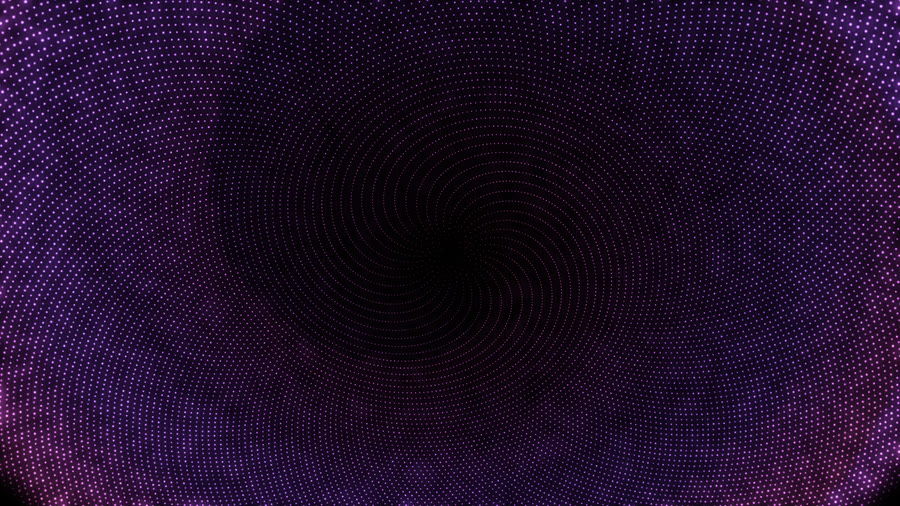
A sunflower head of glowing seeds set by the golden angle: every beat pours the spiral arms one seed outward, bass bends the arms, treble sparkles the rim, the spectrum lights the arms band by band.
Knobs (17)
| Knob | Range or choices | Starts at | Cable | What it does |
|---|---|---|---|---|
Seedsseeds | 4000 to 32000 | 24000 | yes | How many seeds make the head. More = finer, denser arms. |
Zoomzoom | 0.5 to 2 | 1 | yes | How much of the head fills the screen. Small shows the whole head with room round it, large fills the screen with its middle. |
Tilttilt | 0 to 1 | 0.55 | yes | How much the head is tilted toward you, like a bowl. 0 = flat and face on. |
Seed sizesize | 1 to 12 | 5 | yes | How big each seed is, in pixels. Seeds grow toward the rim. |
Pour per beatpour | 0 to 3 | 1 | yes | How many seeds outward the arms pour on each beat (a hard hit in a loud passage adds one more). 0 = no pour on beats. Never more than one pour every 150 ms, so fast songs do not strobe. |
Slide timeslide | 0.03 to 0.5 | 0.12 | yes | How long each pour takes, in seconds. Short = a snap, long = a glide. |
Driftdrift | 0 to 3 | 0.5 | yes | A slow steady pour between beats, in seeds per second, so the head keeps flowing in quiet passages. |
Bass bendbend | 0 to 2 | 0.5 | yes | How much the bass bends the angle between seeds off the golden angle: the arms re-form into fewer, bolder spirals. |
Arm lightingarms | 0 to 1 | 0.6 | yes | How much the spectrum lights the arms: the bands sweep the head as a spiral, bass to treble, so each arm is lit by its own band; minor chords wind the sweep the other way. 0 = every arm lit alike. |
Sparklesparkle | 0 to 1 | 0.6 | yes | How much the treble makes the outer seeds twinkle. |
Beat flashflash | 0 to 1 | 0.6 | yes | A brief brightening of the middle on each pour. |
ColorcolourMode | shared palette, chords, custom | shared palette | no | Where the colors come from: the shared palette all layers agree on, the song's chords (the root turns the color), or your two colors below. |
Color rangespread | 0 to 1 | 0.3 | yes | How far the color changes from the middle of the head to its rim. |
Middle colorcolourA | a color | #ffb347 | yes | With Color set to custom: the seeds in the middle. |
Rim colorcolourB | a color | #ff4fa3 | yes | With Color set to custom: the seeds at the rim. |
Glowglow | 0 to 1 | 0.6 | yes | The soft haze around the seeds. |
Brightnessbrightness | 0.2 to 2 | 1 | yes | Overall brightness. |
Particle Lifeparticle-life
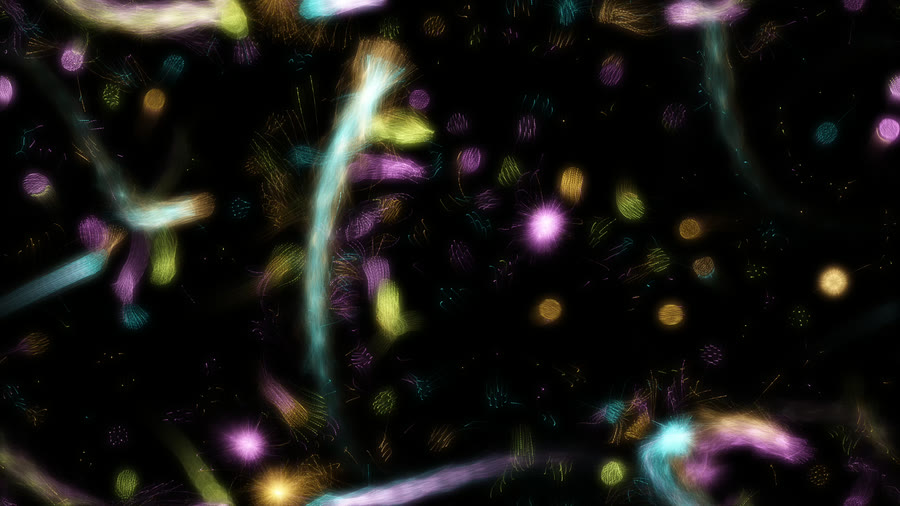
Colored species of glowing particles that pull and push each other into living cells, snakes and chasing creatures: chords re-form them, beats send a ring of push outward, bass makes them breathe.
Knobs (20)
| Knob | Range or choices | Starts at | Cable | What it does |
|---|---|---|---|---|
Creaturescreatures | follow chords, cells, snakes, worms, comets, colonies, swarm, drifters, stars | follow chords | no | Which set of pulls and pushes the species follow. Follow chords: each chord has its own, and a chord change slowly turns one into the next, so the creatures dissolve and re-form. |
Speciesspecies | 3 to 8 | 6 | yes | How many kinds of particle there are, each its own color. Changes in whole steps. |
Particlescount | 2048 to 16384 | 10000 | yes | How many particles there are. |
Reachreach | 0.02 to 0.06 | 0.037 | yes | How far a particle feels the others. Small = many little creatures, large = a few big ones. |
Pullforce | 0.2 to 2 | 1 | yes | How strongly the particles pull and push each other. |
Speedspeed | 0 to 2 | 1 | yes | How fast life runs. 0 = frozen. |
Chord change timemorph | 0.2 to 6 | 1.2 | yes | How many seconds the creatures take to turn into the next kind when the chord (or Creatures) changes. |
Beat pushpush | 0 to 1 | 0.5 | yes | On each beat a ring of light and push travels outward, lighting the creatures and shoving them aside. 0 = none. |
Push frompushFrom | middle, anywhere | anywhere | no | Where the effect starts: a fixed place, a moving one, or places you pick yourself in the app. |
Start overstartOver | when one is left, never | when one is left | no | When one creature has swallowed all the others, it spirals into the middle, spins up shaking, collapses and goes off like a supernova; the particles spread over the screen to grow new creatures. |
Bass breathingbreathe | 0 to 1 | 0.5 | yes | How much the bass makes every creature swell (the particles feel each other from further away). |
Twinkletwinkle | 0 to 1 | 0.6 | yes | How much each particle flickers and jitters; the treble makes it livelier. |
Particle sizesize | 1 to 6 | 2.4 | yes | How big each particle is, in pixels. |
Trailstrails | 0 to 1 | 0.35 | yes | How long the fading trail behind each particle is. 0 = no trail. |
ColorcolourMode | shared palette, chords, custom | shared palette | no | Where the species' colors come from: the shared palette all layers agree on, the song's harmony, or your two colors below. |
Color rangehueSpread | 0 to 1 | 1 | yes | How different the species' colors are: 1 spreads them round all the colors, 0 makes them one color. |
First colorcolourA | a color | #ff5fa8 | yes | With Color set to custom: the first species' color. |
Second colorcolourB | a color | #5fd8ff | yes | With Color set to custom: the last species' color; the others lie between. |
Glowglow | 0 to 1 | 0.55 | yes | The soft haze around the creatures. |
Brightnessbrightness | 0.2 to 2 | 1 | yes | Overall brightness. |
Slime Veinsslime-veins
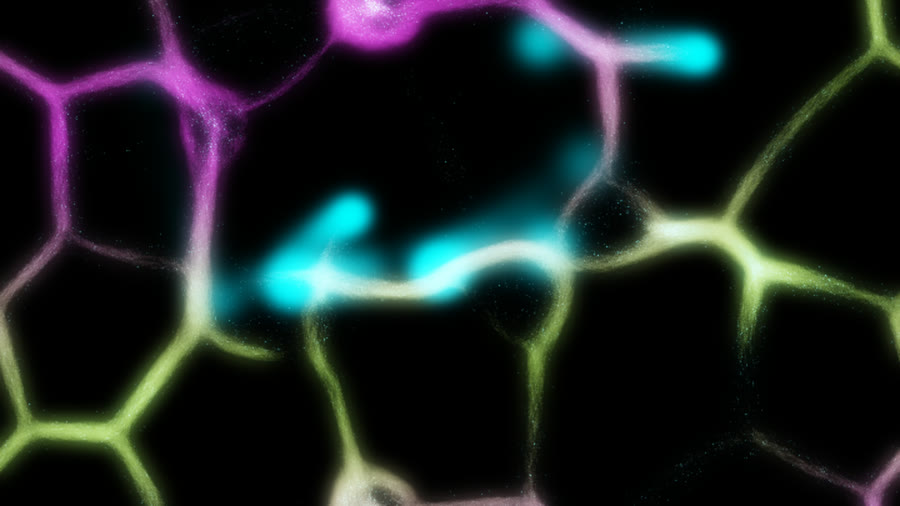
A living slime-mould web of glowing veins that branch, merge and re-route: bass thickens the lace into rivers, beats drop food the veins race to, treble sparkles the crawling tips.
Knobs (16)
| Knob | Range or choices | Starts at | Cable | What it does |
|---|---|---|---|---|
Originsource | pick position, fixed, center, bottom, top, left, right, bottom corners, all edges, ring, jump, scatter, drift, melody | scatter | no | Where the effect starts: a fixed place, a moving one, or places you pick yourself in the app. |
Food spotsemitters | 1 to 8 | 4 | yes | How many places get food on each beat. Changes in whole steps. |
Slimecount | 16384 to 262144 | 131072 | yes | How many crawling agents make the web. More = a denser, brighter web (and more work for the phone). |
Crawl speedspeed | 0.2 to 2.5 | 1 | yes | How fast the agents crawl, so how quickly the veins grow and re-route. |
Reachreach | 0 to 1 | 0.4 | yes | How far ahead each agent feels for trail. Low = fine lace, high = a coarse web of wide channels. |
Vein memorymemory | 0 to 1 | 0.5 | yes | How long a trail lasts once the agents leave it. Low = restless, ever-changing veins; high = lasting highways. |
Bass thickeningbassShape | 0 to 2 | 1 | yes | How much the bass widens the agents' feelers, turning fine lace into thick rivers. 0 = the bass leaves the web alone. |
Beat feedingfood | 0 to 1 | 0.6 | yes | On beats and drum hits, a glowing blob of food drops at the food spots and the veins rush to it. 0 = no food. |
Sparkssparkle | 0 to 1 | 0.6 | yes | How brightly the crawling agents glint, hottest at the growing tips; the treble makes them flicker. |
Chord shiftschordShift | 0 to 1 | 0.5 | yes | On each chord change the colors slide along and the agents turn a little sharper or softer. 0 = chords change nothing. |
ColorcolourMode | shared palette, chords, custom | shared palette | no | Where the colors come from: the shared palette all layers agree on, the song's harmony, or your two colors below. |
Color rangehueSpread | 0 to 0.5 | 0.35 | yes | How far apart the colors of the thin veins, the thick veins and the hot cores are. |
Vein colorcolourA | a color | #2fd8ff | yes | With Color set to custom: the color of the thin veins. |
River colorcolourB | a color | #c45cff | yes | With Color set to custom: the color of the thick veins (their cores run hot toward white). |
Glowglow | 0 to 1 | 0.5 | yes | The soft haze around the veins. |
Brightnessbrightness | 0.2 to 2 | 1 | yes | Overall brightness. |
Murmurationmurmuration
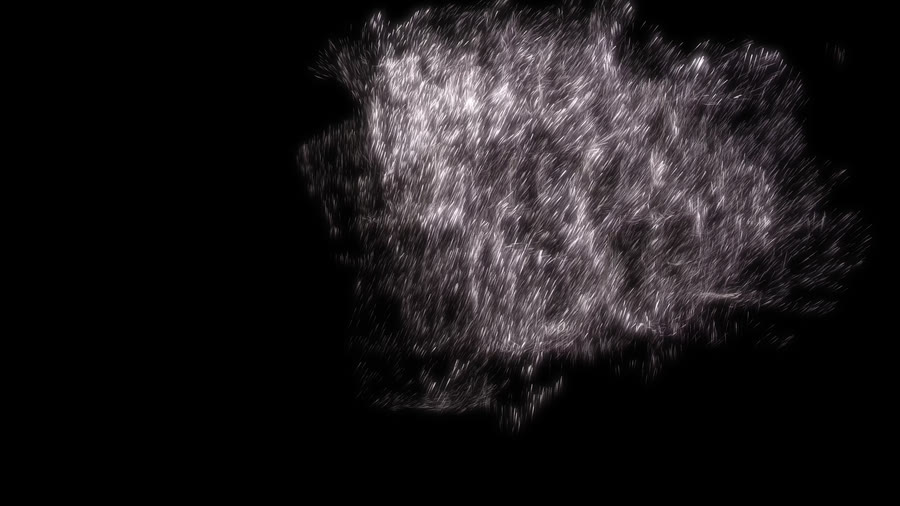
A starling flock that wheels and folds as one glinting sheet: bass banks the turns, chord changes send it across the sky, hits send a predator tearing a hole through it.
Knobs (17)
| Knob | Range or choices | Starts at | Cable | What it does |
|---|---|---|---|---|
Looklook | starlings, sardines | starlings | no | Starlings: a flock of birds whose wings glint as it banks. Sardines: a tighter school of silver fish whose flanks flash as it turns. |
Birdscount | 4096 to 32768 | 24576 | yes | How many birds are in the flock. |
Speedspeed | 0.3 to 2 | 1 | yes | How fast the birds fly. |
Togethernesscohesion | 0 to 1 | 0.5 | yes | How tightly the flock packs. The music's loudness adds to it: quiet parts spread a thin sheet, loud parts pull it into a dense ball. |
Bass wheelingwheel | 0 to 2 | 1 | yes | How hard the bass makes the flock bank and wheel. 0 = slow drifting turns whatever the music. |
Predatorpredator | 0 to 1 | 0.6 | yes | On drum hits a falcon dives through the flock and a hole tears open, then closes. Higher = a bigger, harder hole. 0 = no predator. |
Banking flashflash | 0 to 1 | 0.7 | yes | How brightly the birds glint when their wings tilt into the light, so a turn sends a flash across the flock. |
Wing flickerflicker | 0 to 1 | 0.5 | yes | How much the wing beats shimmer; the treble makes it livelier. |
Bird sizesize | 0.4 to 3 | 1 | yes | How long and wide each bird's dash is. |
Trailstrails | 0 to 1 | 0.15 | yes | How long the fading streak behind each bird is. 0 = no streak. |
ColorcolourMode | shared palette, chords, custom | shared palette | no | Where the colors come from: the shared palette all layers agree on, the song's harmony, or your two colors below. |
Color rangehueSpread | 0 to 1 | 0.45 | yes | How different the birds' colors are from each other. |
Color intensitysaturation | 0 to 1 | 0.6 | yes | How vivid the colors are (when they come from the chords or the scene has no colors). |
First colorcolourA | a color | #cfe8ff | yes | With Color set to custom: one end of the birds' colors. |
Second colorcolourB | a color | #ffd0a0 | yes | With Color set to custom: the other end. |
Glowglow | 0 to 1 | 0.5 | yes | The soft haze around the flock. |
Brightnessbrightness | 0.2 to 2 | 1 | yes | Overall brightness. |
Ember Sieveember-sieve
Bright ember grains collect on hidden ledges and spill in branching cascades: bass loosens the piles, hits feed packets, and chords slowly redirect the falling streams.
Knobs (12)
| Knob | Range or choices | Starts at | Cable | What it does |
|---|---|---|---|---|
Feedfeed | 0 to 3 | 1 | yes | How quickly grains return from the offscreen reservoir to the upper feeder. |
Fall speedfall | 0.2 to 2 | 1 | yes | Gravity on airborne grains; slower falls make the delayed cascades easier to follow. |
Gripgrip | 0 to 1 | 0.5 | yes | How steep a pile can become before its exposed grains slip sideways. |
Openingsgates | 0 to 1 | 0.5 | yes | Width of the narrow gaps. Chords slowly move their positions. |
Bass shakeshake | 0 to 2 | 0.8 | yes | Bass shakes the ledges and lowers the slope needed to start a spill. |
Hit packetspacket | 0 to 1 | 0.7 | yes | Size of the bright packet released from the waiting reserve on each hit. Zero disables packets. |
Treble hopsglint | 0 to 1 | 0.7 | yes | Treble lifts exposed grains and makes their hot cores glint. |
Grain sizesize | 0.6 to 4 | 2 | yes | Size of each luminous grain in screen points. |
Trailstrails | 0 to 1 | 0.3 | yes | How long a moving grain leaves a fading trace. |
ColorcolourMode | Shared palette, Warm embers | Shared palette | no | Follow the shared scene palette, or use orange and gold embers. |
Glowglow | 0 to 1 | 0.55 | yes | Soft light around the bright individual grains. |
Brightnessbrightness | 0.2 to 2 | 1 | yes | Overall light output. |